A moving follow-up sequence is a workflow, not simply a list of messages sent every few days. It should respond to the customer's current stage, give one person responsibility and stop when the next event makes the message irrelevant. Build those rules before choosing a tool or writing the copy.
 View full-size graphic ↗
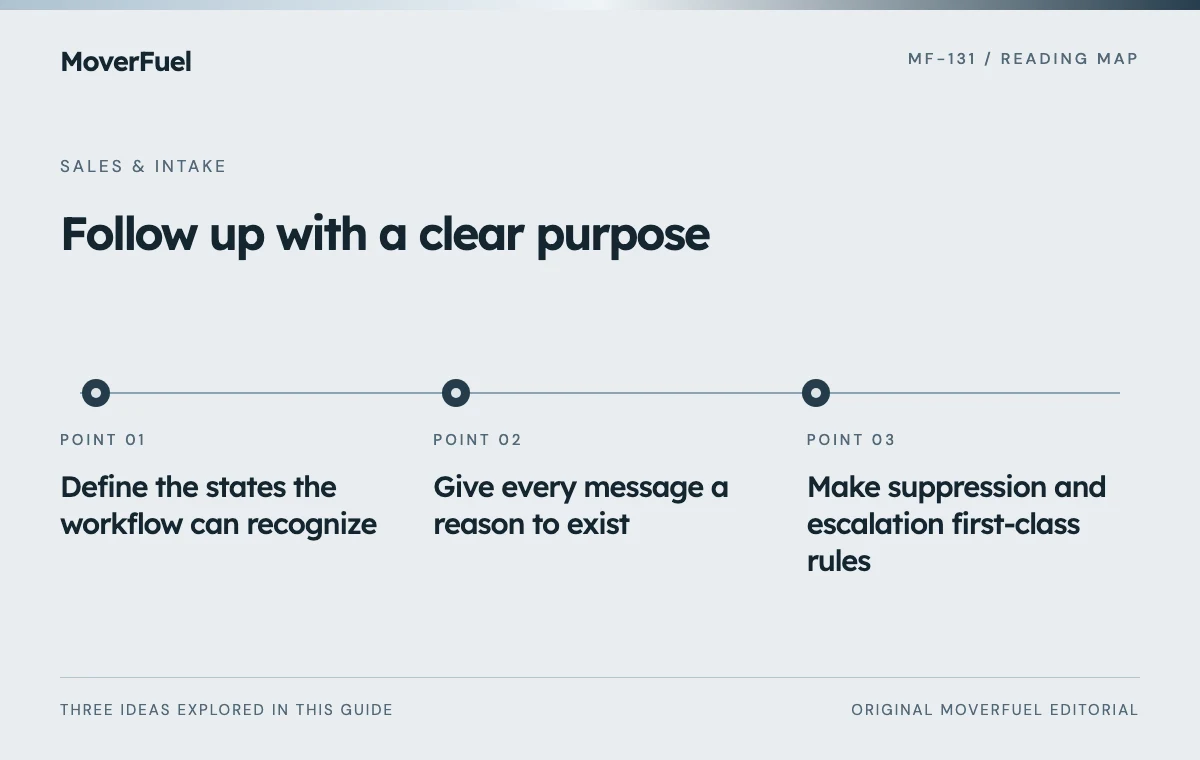
Define the states the workflow can recognize
Start with observable states: inquiry received, contact needed, scope being qualified, estimate scheduled, estimate delivered, decision pending, booked and closed. Define the event that enters and exits each state. Avoid a vague ‘nurture’ bucket that mixes customers waiting for entirely different things.
Scroll the table horizontally to compare all columns.
| Trigger | Useful action | Owner | Exit condition |
|---|---|---|---|
| Valid inquiry received | Confirm receipt and assign intake | Intake queue owner | Staff begins contact |
| Contact not established | Create a permitted contact task | Assigned representative | Conversation, decline or contact limit |
| Survey agreed | Send verified preparation details | Estimator coordinator | Survey completed or rescheduled |
| Estimate delivered | Offer scope clarification | Estimator or salesperson | Decision or unresolved question |
| Decision date agreed | Follow up at the agreed point | Inquiry owner | Booking, delay or decline |
| Booking accepted | Move to operational confirmation | Booking team | Sales sequence stops |
This is an example architecture, not a recommended universal cadence. Choose timing from the customer's expectations, your staffed capacity and applicable contact rules. Different services may need different paths.
Give every message a reason to exist
Write the customer task beside each proposed message. A receipt confirmation explains what happens next. A survey reminder helps the customer prepare. An estimate follow-up clarifies scope. If the only purpose is ‘another touch,’ reconsider whether the message is useful.
Use only reliable personalization fields
A message that names the wrong destination or move date undermines trust. Identify the authoritative field, its update rules and a fallback when it is missing. Do not insert a price, availability promise or estimate term unless the current record supports it.
Keep the reply path monitored. When a customer answers with a question, create a human task and pause any message that assumes no response. The person handling the reply needs access to the recent conversation and the current estimate, not just the latest automated message.
Use estimate follow-up examples for message purpose, while keeping the workflow rules separate from the wording.
Make suppression and escalation first-class rules
Scroll the table horizontally to compare all columns.
| Event | Workflow behavior |
|---|---|
| Customer books | Stop prospect sales messages; start verified booking process |
| Customer declines or requests no contact | Apply appropriate suppression and close the task |
| Customer replies with a question | Pause generic follow-up and assign a person |
| Move date or scope changes | Reassess stage and estimate before continuing |
| Complaint or sensitive issue | Escalate to authorized staff |
| Duplicate inquiry found | Reconcile records and prevent overlapping sequences |
Commercial email has requirements under FTC CAN-SPAM guidance, including handling opt-outs. Review phone, text, recording and jurisdiction-specific obligations separately. Do not treat a marketing tool's enabled send button as evidence that a contact is permitted. [1]
Store the suppression reason and its scope in a controlled record. Test whether a stop event reaches every system that might send a message. Keep operational communications and promotional preferences correctly distinguished under the applicable rules rather than making unsupported blanket assumptions.
Design for failed delivery and unavailable staff
A bounced email or failed webhook should create a visible exception, not quietly advance the customer to ‘contacted.’ Record the attempt separately from successful delivery or a conversation. Define retry limits and a human owner for unresolved exceptions.
Test out-of-order events. A customer may book by phone before the CRM sync arrives, or reply while a scheduled message is queued. The sending process should check the current state as close to execution as practical, not rely entirely on the state when the task was created.
Test the sequence as a customer journey
Use controlled records to walk through a normal inquiry, a rescheduled survey, a reply, a decline, a duplicate and a booking. Confirm content, timing, ownership, stop behavior and the visible audit trail. Avoid synthetic sends to real customers or live ad optimization systems.
Launch with a bounded workflow and review exceptions before expanding. Measure accepted inquiries reaching a conversation, completed surveys, estimate decisions and mature bookings. Also track unwanted contact, inaccurate personalization and overdue tasks.
Keep a versioned workflow diagram and message inventory. When the sales process changes, update the triggers and stop rules along with the copy. Otherwise the automation can faithfully execute a process the business no longer uses.
MoverFuel's tracking and automation service focuses on connecting those business events and handoffs; it does not imply an existing proprietary CRM or live integration.
Common questions
What is the best number of follow-up messages?
The useful number depends on the stage, customer preference and contact rules. Design finite actions around unresolved tasks and stop events rather than adopting a universal message count.
Should a reply stop the whole workflow?
It should at least pause messages that assume no response and assign the reply to a person. The next state depends on whether the customer asked a question, changed the move, declined or booked.
Your next step
Build the sequence around state changes, ownership and reliable stop rules. Automation should support a useful conversation and a clear handoff, not continue sending after the customer's situation has changed.
Sources & editorial notes
Platform claims cite the documents below. Operating frameworks and labeled examples are MoverFuel editorial analysis, not client results or industry benchmarks.
- FTC: CAN-SPAM compliance guideFTC CAN-SPAM guidance establishes commercial-email obligations including opt-out handling; other contact channels need separate review. Reviewed .