Your website is part of every comparison. We build yours with clear answers, real proof and an estimate request that’s easy to finish on a phone.
Mobile-FirstEvery page
WCAG 2.2 AATested
Core Web VitalsSpeed thresholds
TrackingFrom day one
Nobody hires a mover because the website looked nice. They hire the company that made the choice easy: clear answers, real proof and an estimate that’s simple to request on a phone, between boxes. That is the whole job of a moving website, and it’s the job we design every page to do.
Built Around Your Estimates
Every page leads to the next step your team wants: a call, a short estimate request or a survey booking, shaped by how you actually price a move.
Fast On Every Phone
Designed mobile-first and built to Google’s Core Web Vitals thresholds, so a customer in a half-packed kitchen isn’t left waiting for your page.
Proof You Can Stand Behind
Real crews, real trucks, your license numbers and honestly shown reviews. Where proof is missing, we say so instead of filling the gap.
No templates
Our Website Approach
Why we don’t use WordPress templates, and what we build instead. Every website MoverFuel builds is custom, from the layout and page structure to the animations and features. We don’t start from off-the-shelf WordPress themes, page builders or plugins. We write clean HTML, CSS and JavaScript around your services, your service area and the way you price a move, and keep it fast long after launch.
Why This Matters For You
Our Custom SitesHTML, CSS & JavaScript
WordPress Template SitesThemes & plugins
Lean pages built to load fast on a phone
Can be slowed by a heavy theme and a long list of plugins
Designed around your services, crews and estimates
Limited to the layouts the theme was built with
Clean, modular code with nothing the site doesn’t use
Each plugin is more third-party code to patch
Built for performance and marketing
Built to be quick to set up
Fewer moving parts to update and secure
Core, theme and plugin updates to keep up with
Grows with new services, areas and features
A one-size-fits-all theme structure
Your code and files, with a handoff any developer can follow
Tied to the theme, page builder and plugins it was built on
Measured against Google’s Core Web Vitals on real visits
Speed depends on every theme and plugin choice
Patchstack counted 7,966 new vulnerabilities in the WordPress ecosystem in 2024: 96% in plugins, 4% in themes and seven in WordPress core.
Benefits Of Going Custom
Speed & Simplicity
Lightweight, HTML-first pages load quickly on a phone, and speed is part of the page experience Google’s systems look at.
Interactive Experiences
JavaScript adds the features that help customers act, like an estimate form that shows its steps, without a plugin for each one.
Better Mobile Performance
Mobile-first design gives customers comparing movers on a phone, often between boxes, a fast and easy path to an estimate.
Marketing-Ready
Analytics, call tracking, lead tracking and your CRM are planned in from the start, so every request shows where it came from.
What you get
SEO + AI Search, Built Into Every Site
Some customers search Google for a mover. Others ask ChatGPT, Claude or Gemini. We build every page to be ready for both.
SEO
Search Engine Optimization
Built so Google and Bing can crawl, index and rank your pages for the searches customers type, like “movers near me.”
Google says optimizing for its AI features is still SEO, so one carefully built site can serve both.
Every Build Includes
Service pages that answer first. A clear page for each service you sell, written to answer the questions customers ask in a search bar or a chat.
Service-area pages, not doorway pages. Pages for the places your crews actually serve, for searches like “movers near me” and questions like “best movers in Phoenix.”
Structured business data. Your name, address, phone, hours and services marked up as a MovingCompany and kept the same everywhere they appear.
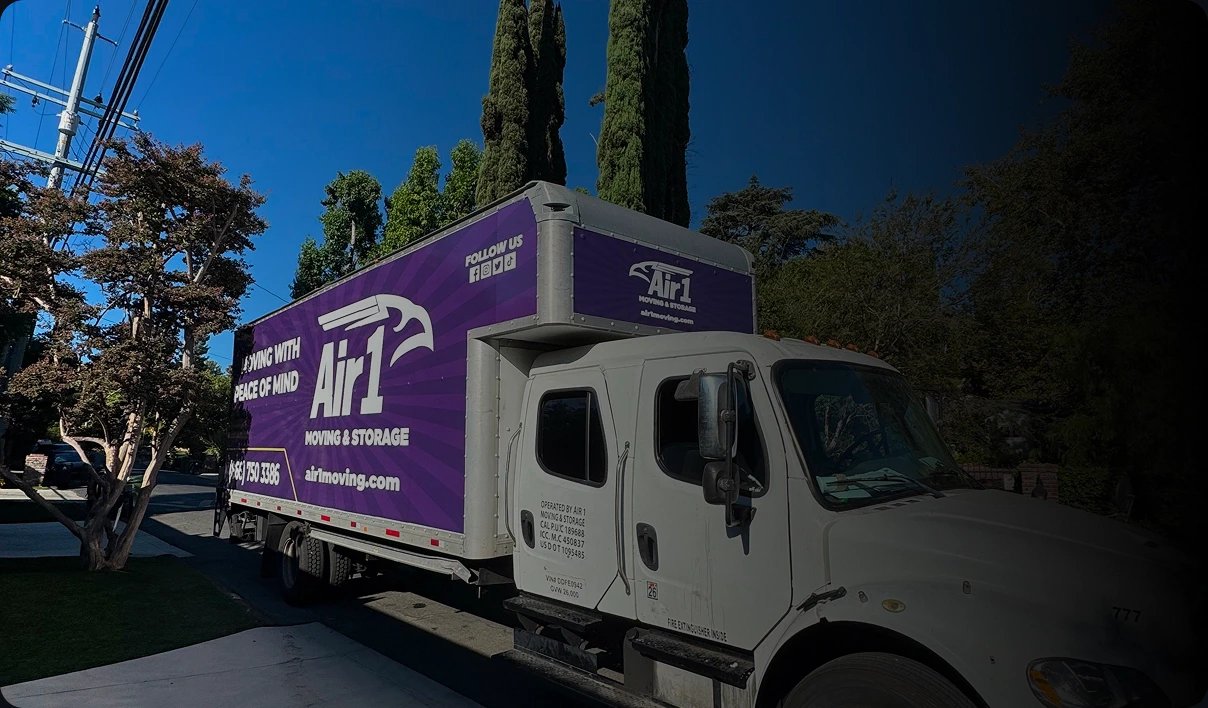
Real crew and truck photos. Your crews, trucks and real jobs on the page: original material that no competitor’s site can copy.
Reviews shown honestly. Real customer reviews on the pages where people decide, shown within the FTC’s rules on reviews and testimonials.
A technical foundation for both. Crawlable links, fast mobile pages and a clean structure that search engines’ and AI assistants’ crawlers can reach.
The Result
One website, ready for the results customers scroll and the answers they ask for. No one can promise a ranking or an AI mention, so we build your site to be a clear, accurate source about your company.
Your free website audit
Let Us Show You Where Your Website Loses Estimates
A moving website rarely loses a customer over its colors or fonts. It loses them when someone on a phone can’t find what they need to choose you, so they go back to the results and call the next mover. You worked to bring that visitor in, through ads, search or a referral, and the site let them leave.
Your free growth audit shows where your site loses those people today. We review it on a phone, the way your customers see it: speed, service and area pages, estimate forms, call buttons, license details, photos and tracking. Then we show you what we’d fix first, and whether the site needs a rebuild at all.
A Website Built Around How Movers Win Jobs
A moving website has one job before any other: turn a visitor who is comparing movers into an estimate request or a call your team can book. Design matters, but only as far as it makes that next step clearer and more credible.
We plan the site around your business: the services you sell, the areas your crews cover and the way your estimators price a move. Local hourly moves, interstate moves that start with a survey and commercial relocations each get the pages and questions they need. Our website conversion guide explains the thinking.
Signs Your Website Is Costing You Estimates
If two or three of these sound familiar, the site is probably turning away customers you worked hard to attract.
It’s slow or awkward to use on a phone
Visitors can’t see which areas you serve
The phone number and estimate button are hard to find
The estimate form asks for an inventory before a name
Stock photos stand in for your real crews and trucks
Your license numbers are missing or buried
Nobody can say which pages produce estimates
Already Happy With Your Site?
Not every site needs rebuilding. When the platform is sound, we fix what’s costing you estimates first: speed, forms, pages and tracking. A rebuild makes sense only when the foundation itself is holding the business back.
A careful customer won’t stop at the first mover they find. FMCSA tells consumers to get written estimates from several movers and compare them, and to make sure an interstate mover is registered and has a U.S. DOT number. Your website is part of that comparison, often before anyone picks up the phone.
Plan for it to happen on a phone. Pew Research Center’s 2026 survey found that 91% of U.S. adults own a smartphone, and Google uses the mobile version of a site’s content for indexing and ranking. A site that looks great on a desktop monitor and struggles on a phone fails the customer and the search engine at once.
Four Questions To Answer Before You Ask For Anything
Every visitor arrives with the same four questions: do you serve my area, do you handle my kind of move, can I trust you and how do I get a price? The top of the homepage and every service page should answer all four before asking for a name or a phone number.
That means a headline that names what you move and where, a visible estimate button and phone number, and proof such as license details and reviews close behind. Our homepage checklist covers what belongs above the fold.
Different Moves, Different Next Steps
A local customer may want your hourly rate and next open date. A family moving across the country wants to book an in-home or video survey. A facilities manager wants a site visit before anything else. One generic contact form serves none of them well.
We map those paths before design starts, so each kind of move reaches a next step that fits how you price it. Our article on why moving websites fail to generate qualified leads shows where generic sites go wrong.
Architecture before design
The Pages A Moving Company Website Needs
Google says its ranking systems are designed to prioritize helpful, reliable information created to benefit people, not content made to manipulate rankings. For a mover, that points to a simple structure: a strong page for each service you sell, real pages for the areas you serve, and the pages a careful customer checks before booking. We plan it before anyone opens a design tool, so every page has a job, a reason to exist and a clear path to an estimate.
A Page For Every Service You Sell
Local moves, long-distance moves, commercial relocations, packing and storage are different purchases with different questions. Each deserves a page that explains how the service works, what affects the price and what happens next. One catch-all services page leaves customers and search engines guessing. See how to structure moving company service pages.
Service-Area Pages, Not Doorway Pages
Google’s spam policies name doorway abuse: pages created to rank for similar searches, including pages aimed at specific regions or cities that funnel visitors to one page. Dozens of near-identical city pages with the town name swapped fit that description, and we don’t build them.
A service-area page earns its place with real detail: the neighborhoods and building types you move, the access issues your crews know and reviews from customers there. California’s moving tariff, for one, bars movers from advertising locations where they don’t keep a place of business, so an area page should never imply an office you don’t have. Read more about location pages without doorway content. Operators with several branches can see how area pages fit a wider plan in our guide to marketing a multi-location moving company.
About, Reviews And FAQ Pages That Do Real Work
Careful customers look for the people behind the trucks. An about page with your story, your crews and your licensing, a reviews page shown honestly and an FAQ page that answers what your estimators hear every week all do selling work before the first call.
The FAQ page now earns its place on usefulness alone. Google stopped showing FAQ rich results in search on May 7, 2026, so the page is worth having for the customers who read it, not for a search feature.
Landing Pages Do A Different Job
Your website serves everyone, from first-time visitors to past customers looking up your number. A landing page for an ad serves one search: it matches the ad’s move type and offer, keeps the visitor focused and asks for one next step.
Google Ads judges landing page experience by how relevant and useful the page is to people who click your ad, one more reason the ad and the page should tell the same story. We build focused pages for priority campaigns, such as local moving landing pages and commercial quote pages.
Navigation Built From Real Links
Google can follow a link only when it’s a standard HTML link to a real address, and it recommends linking every page you care about from at least one other page on your site. Menus, service lists and area pages built from plain, descriptive links help customers and crawlers find the same pages. Our guide to website navigation for movers shows the patterns.
From interest to inquiry
Estimate Forms And Calls That Work On A Phone
Some customers want to type; others want to talk. A good moving site makes both easy from every page: a short estimate form for the people who prefer it, and a phone number they can tap without hunting for it.
Every field on that form has to earn its place. Nielsen Norman Group’s first recommendation for web forms is to keep them short, because every field or question you cut increases a form’s conversion rate. We ask for what changes the estimate and leave the full inventory for the survey.
Ask For What Changes The Estimate
The move date, where from and where to, the home size and the services needed tell your estimators most of what they need for a useful first call. Commercial and long-distance forms ask a little more, because those jobs need it. Our guide to building a high-converting moving quote form goes field by field.
Move date, or a range of dates
Moving from and moving to
Home size and access details
Services such as packing or storage
Forms Built To Be Finished
Nielsen Norman Group, the W3C’s accessibility tutorials and Google’s web.dev agree on the basics, and we build every form to them.
A visible label for every field, never placeholder text alone
One column, in a logical order
Phone and email fields that bring up the right keyboard
Autocomplete, so browsers can fill in known details
Optional fields marked as optional, and kept few
Errors explained in words, not by color alone
Longer forms split into steps that show progress
A Request, Not A Surprise Price
For interstate moves, federal rules require the mover to survey the household goods, on site or by live or recorded video, and give a written estimate based on that survey, unless the customer waives it in writing. FMCSA also lists estimates given over the phone or online, sight unseen, among its red flags.
So the form’s promise matters. It requests an estimate, explains what happens next, whether that’s a callback, an in-home visit or a video survey, and never implies a final price it can’t stand behind. The confirmation page repeats those next steps and shows your number.
Tap-To-Call On Every Page
A phone number written as a tel: link lets a customer on a cell phone dial with one tap. We put it in the header of every page, make it easy to hit with a thumb and keep it consistent with your Business Profile and ads, unless call tracking swaps it on purpose. Read more about mobile click-to-call for movers.
Every Request Reaches Someone Who Can Book It
A form that sends to an unwatched inbox loses the job as surely as a broken one. Before launch, we test delivery to your team and, where your CRM allows, into the CRM itself, then set alerts so after-hours requests are seen first thing. Speed to lead for movers explains why the first response matters.
We design for the phone first and the desktop second. Google indexes the mobile version of your site and asks that it carry the same content, structured data, titles and image alt text as the desktop version, so nothing important can hide in a desktop-only layout.
Speed is part of the same promise. A customer checking movers between boxes has little patience for a page that won’t settle, and Google measures that experience with three Core Web Vitals.
Core Web Vitals, In Plain Terms
Largest Contentful Paint measures loading: the main content should appear within 2.5 seconds. Interaction to Next Paint measures interactivity: the page should respond to taps within 200 milliseconds. Cumulative Layout Shift measures visual stability, and should stay at 0.1 or less so the layout holds still while it loads.
Google’s web.dev guidance judges each one at the 75th percentile of page loads, on mobile and desktop separately. We build to those thresholds, test against them before launch and check them in real-visitor data after it.
What Speed Can And Can’t Do For Rankings
Google says Core Web Vitals are used by its ranking systems and recommends that site owners achieve good scores. It also says it always seeks to show the most relevant content, even when page experience is sub-par, and that good scores don’t guarantee a page will rank at the top of the results.
So we treat speed as part of the experience that turns a visit into an estimate, not as a ranking trick. A fast page that answers the customer’s question beats a fast page that doesn’t.
Where Pages Usually Lose Speed
Photos are the usual culprit. Google notes that images are often the largest contributor to a page’s size, so we serve them in modern formats such as WebP and AVIF, at the size each screen needs.
The hero photo loads right away rather than lazily, because web.dev advises against lazy-loading images likely to be in view when the page opens. Every image carries its width and height, and review widgets, chat bubbles and banners get space reserved in advance, so nothing pushes the estimate button down the page as it loads. Our guide to website speed and Core Web Vitals for movers covers the fixes in order.
Measured On Real Visits, Not Just In Tests
Lab tests catch problems before launch, but real customers decide the score. Search Console’s Core Web Vitals report uses field data from real visits, grouped as Good, Need improvement or Poor for mobile and desktop. We review it after launch and after major changes, because one new widget or oversized photo can quietly undo good work.
Accessibility built in
Accessible Websites Every Customer Can Use
Accessibility decides whether some customers can book with you at all. The Department of Justice has consistently taken the position that the ADA applies to the goods and services that businesses open to the public offer on the web. It hasn’t set detailed technical standards for businesses, which have flexibility in how they comply, and it points to WCAG as helpful guidance.
Most home pages still fall short. WebAIM’s 2026 analysis of a million home pages detected WCAG 2 failures on 95.9% of them, most often low-contrast text (83.9%), images without alternative text (53.1%) and form fields without labels (51%).
What we check on every page
Text with enough color contrast to read easily
Alternative text for photos that carry information
A visible label on every form field
Menus and forms that work with a keyboard
Tap targets at least 24 by 24 CSS pixels
Help and contact details in the same place on every page
Designed And Tested Against WCAG 2.2 AA
WCAG 2.2 became a W3C Recommendation in October 2023 and was updated in December 2024. It added nine success criteria, and several matter on a mover’s site: tap targets of at least 24 by 24 CSS pixels, help placed consistently across pages, not asking for the same information twice in one process, and keyboard focus that a sticky header or call bar can’t completely hide. We design and test against Level AA as the working standard for every page, form and component rather than a final check.
Why Automated Checks Aren’t Enough
The W3C is clear that evaluation tools can’t determine whether a site is accessible; they can only assist, and some checks need human judgment. So alongside automated scans, we check keyboard navigation, focus order and form errors by hand before launch.
No checklist makes a website immune to complaints, and we won’t pretend otherwise. What we can do is build accessibility in from the first component and keep it there as pages change.
Compliance that builds trust
Licenses, Disclosures And Reviews Shown The Right Way
Regulators tell customers what to look for on a mover’s website. FMCSA lists a company website with no local address and no information about registration or insurance among its red flags, and tells consumers to avoid movers that don’t show U.S. DOT numbers in their advertising.
That’s good news for licensed movers, because the details that keep you compliant are the ones a careful customer looks for. Stanford’s web credibility guidelines, drawn from research with more than 4,500 people, make the same point for any business: show the real organization behind the site, with a physical address and easy ways to get in touch.
Your U.S. DOT Number And The Federal Booklets
Under federal rules, an interstate mover’s advertising includes listings of its name, address and phone number displayed on its website, and every advertisement must show the name on its U.S. DOT registration and its U.S. DOT number, written as “U.S. DOT No.” We put both in the site footer and on every estimate page.
A mover with a website must also display a prominent link to FMCSA’s “Ready to Move?” brochure, or a true copy of it. The “Your Rights and Responsibilities When You Move” booklet can be provided by a link to FMCSA’s page too, as long as the customer signs a dated receipt agreeing to read it online.
If your company also brokers moves, federal rules require its homepage and ads to show its physical location, its U.S. DOT and MC numbers, and that it arranges moves with authorized carriers rather than transporting the goods itself.
State License Numbers Where Your State Requires Them
Several states add their own rules. Texas requires a household goods carrier’s website home page to show its name, the TxDMV consumer help line and its “TxDMV No.” California requires the mover’s “CAL-T” number in advertising, and Florida requires “Fla. Mover Reg. No.” or “Fla. IM No.” in each advertisement, with its statute counting electronic media as advertising.
We confirm which rules apply to your operation and show each number in the format its rule asks for. Rules change, so we check them again before launch rather than trusting last year’s copy.
Reviews And Testimonials Shown Honestly
Reviews belong on your site, shown honestly. Under the FTC’s Consumer Reviews and Testimonials Rule, a business can’t imply that the reviews in its website’s review section represent most or all of those submitted while it suppresses reviews for their rating or negative sentiment. The FTC’s Endorsement Guides add that organizing or publishing reviews shouldn’t distort what customers actually think.
Testimonials come from real customers, with their permission, and people presented as customers should be customers or be clearly labeled. We also leave review star markup off your own pages: Google doesn’t show star ratings for a business’s pages when the business controls the reviews about itself, including through an embedded review widget. Our guide to trust signals on moving websites covers reviews, licenses and photos together.
Proof in every photo
Real Crew And Truck Photos, Not Stock
Generic stock photos do little for a moving website. In Nielsen Norman Group’s eyetracking research, people ignored stock photos of generic people but paid close attention to images that carried real information, such as photos of the people who actually work at a company.
For movers, photos are also proof. FMCSA warns customers about a rental truck arriving on moving day instead of a company-owned or marked fleet truck, so photos of your own trucks, crews and warehouse answer a question customers are already asking.
What To Photograph
Your crews at work, your trucks with your name on them, your warehouse or storage vaults, your packing materials and the estimators customers will meet. Shoot in good light, at real jobs, with permission from the customers whose homes appear.
We plan a shot list with you or work from the photos you have, and say plainly when a page needs a photo you don’t have yet. Our article on real photos versus stock images explains the trade-offs.
Photos That Tell The Truth
Photos make claims too. California’s moving tariff bars misleading displays of facilities or equipment a mover doesn’t have, and the FTC’s Endorsement Guides say people presented as actual customers should be actual customers, or be clearly disclosed as not. A borrowed fleet photo or a model posing as a happy customer is a risk, not a shortcut.
Photos That Load Fast And Make Sense To Search
Every informative photo gets a text alternative, as WCAG requires for non-text content, while purely decorative images get empty alt text so screen readers skip them. Google also recommends descriptive alt text, short descriptive file names and placing images near the text they relate to.
And because images are often the heaviest part of a page, each one is compressed, sized for the screen it appears on and served in a modern format.
Measurement from day one
Tracking Built Into Your Website From Day One
A website you can’t measure is a website you can’t improve. We build tracking in during development, not after launch, so from the first day you can see which pages, searches and campaigns produce estimate requests and calls.
Measurement shouldn’t stop at the page, either. The lead record should carry its source forward to the estimate and the booked move, which is the work of our lead tracking and automation service.
Forms And Calls Measured Separately
Google Analytics can record when someone starts a form and when they submit it, which shows how many give up partway. A completed estimate request is marked as a key event, and Google Ads conversions can be created from Analytics key events, so your ads learn from the same definition.
Calls get their own tracking. For visitors who arrive from your ads, Google can swap your number on the site for a forwarding number, which shows the campaign, ad and keyword behind each call. The number on the page has to match the tracked number exactly, so we build it into every page in one consistent format.
Source Details That Travel With The Lead
When someone clicks a Google ad, auto-tagging adds a click identifier, the GCLID, to the page address. Offline conversion imports work by saving that ID with the lead details you collect, so a booked move can later be matched to the click that started it.
So our forms capture the click ID and campaign tags in hidden fields and pass them on with the request, into your CRM where it allows. Our guide to lead source fields in a moving CRM shows what to store.
Consent And Privacy, Built In
Google’s consent mode passes each visitor’s cookie consent choice to Google’s tags, which change their behavior to match. In the basic setup, tags wait until consent is granted; in the advanced setup, they send cookieless signals that Google uses for modeling.
Personal details stay out of analytics entirely. Google’s policies prohibit sending it personally identifiable information, and it warns that such details often slip into page addresses and titles, so our forms never put a name, email or phone number in a URL. Your consent banner and privacy policy follow the choices your business and its advisers make, and the site is built to respect them.
A careful launch
Launching A New Website Without Losing Your Rankings
A redesign can quietly undo years of search visibility. Redirects are how Google transfers the signals an old page has earned to its new address, so when old URLs simply disappear, that value goes with them and customers who saved a page land on an error. Google publishes clear guidance for site moves, and we follow it step by step, whether you’re changing your design, your platform, your domain or all three.
Map Every Old Address Before Launch
Google recommends mapping each old URL to its new one and using permanent server-side redirects between them. A permanent redirect tells Google the new address should be the one it shows, and pages that won’t carry over should correctly return a 404 or 410 error. We also update internal links, publish a new sitemap and, if the domain changes, submit a change of address in Search Console.
One Big Change At A Time
Google advises planning big changes one after the other rather than all at once: move the domain first, for example, then change the layout. When a new domain, platform and design are all on the table, we sequence them so any problem can be traced to its cause.
A Staging Site Google Can’t See
The new site is built on a password-protected staging address. Google says password protection keeps content out of its search results, so the half-finished version never competes with your live site.
What To Expect After Launch
Google says to expect ranking fluctuations while it recrawls a changed site, and that a medium-sized site can take a few weeks or more before the new URLs replace the old ones in its results. It recommends keeping redirects for as long as possible, generally at least a year.
We watch crawling, traffic to old and new pages and lead flow closely after launch, and update the links you control, from your social profiles to the website link on your Business Profile.
Your Domain, Accounts And Files
We recommend keeping your domain, hosting and analytics accounts in your company’s name, with administrator access your business controls. The written project agreement should spell out what you receive at handover, from source files to font and photo licenses, so nothing is left to assumption.
Where estimates leak
The Website Mistakes That Cost Movers Estimates
These are the problems we check for first on a moving company’s website. None of them is a matter of taste. Each one sends a customer who was ready to ask for an estimate back to the search results to call someone else.
A homepage that never says which areas you serve
Phone numbers that can’t be tapped on a phone
Estimate forms that demand a full inventory up front
Placeholder text standing in for field labels
One generic services page for every kind of move
Dozens of city pages with only the town name changed
Interstate pages without the U.S. DOT number
Stock photos where your crews and trucks should be
A redesign launched without redirects from old URLs
Estimate requests landing in an inbox nobody checks
Website Design & Development,Built For Moving Companies
Everything a moving company needs from its website, planned around estimates, built for phones and measured from day one.
Site Architecture & Conversion Plan
Pages mapped to your services, areas and estimate process before design starts, each with a clear job and a path to an estimate.
Original Responsive Design
An original design built mobile-first and laid out around real photos of your crews and trucks, not a generic template.
Service-Specific Copy
Clear pages for each service and area, written from your estimators’ answers, with every business claim approved by you.
Accessible Estimate Request Flow
Short, labeled forms and tap-to-call, tested against WCAG 2.2 AA, asking only for what changes the estimate.
Technical SEO & Optimized Images
Fast pages, crawlable navigation, images sized for phones and a redirect map ready before launch.
Analytics & Integration Handoff
Calls and forms tracked separately, source details passed on with every request and a documented handoff for your CRM and call tracking.
How we build your website
Plan, build, launch.Then a site that keeps improving.
Every step ends with your sign-off before the next begins. Nothing goes live until forms, calls, tracking and redirects pass their checks.
01
Audit & plan
We review your current site, search visibility, forms and call paths, then map the services, areas and estimate process the new site must support. The plan names every page and the job it does.
02
Design & build
Pages are designed mobile-first around your real photos and approved copy, then built and tested against WCAG 2.2 AA and Google’s Core Web Vitals thresholds, with tracking in place from the start.
03
Test & launch
Forms, calls, notifications and redirects are tested before anything goes live, and Search Console and lead flow get close attention afterward. Launch follows readiness rather than a calendar date.
Ongoing
Improve & maintain
Where your plan includes ongoing work, estimates decide what improves next.
Qualified inquiries, booked moves and the marketing behind them.
Qualified leads by channel
Select a source to explore its campaigns.
MoverAI Growth opportunity
Turn more estimates into booked moves.
93 estimates in this sample account are awaiting a booking decision. A timely, relevant follow-up is the next step.
Confirm move date and service coverage
Answer inventory and access questions
Connect the booking to its lead source
Follow the outcome
Bookings and revenue use the current lead statuses in this demo.
Estimated booked revenue$187,800
Acquisition cost per booked move$300
Marketing channels5
October 2026
Your moving business, by the numbers.
Estimated booked revenue$187,800
Ad spend$18,600
Qualified leads248
Booked moves62
How bookings build through the month
Weekly totals from the example lead records.
45kWeek 1
63kWeek 2
62kWeek 3
18kWeek 4
Your reports
Build and download a snapshot of the sample account.
Available example reports
Report
Period
Leads
Bookings
Download
October growth report
October 2026
248
62
Weekly booking review
Oct 22–28, 2026
59
6
Make honest feedback part of the process.
Request a review after a completed move, without incentives or review gating.
Review request drafts
Practice your follow-up using example bookings. No messages are sent.
Jordan Parker
DEMO-001 · Local moving
Confirm move completion before sending
Taylor Parker
DEMO-002 · Local moving
Confirm move completion before sending
Morgan Parker
DEMO-003 · Local moving
Confirm move completion before sending
Casey Parker
DEMO-004 · Local moving
Confirm move completion before sending
Client portal
MoverAIClient Portal
See the calls and estimate requests your website produces in one view, beside the pages and sources behind them and the moves they booked. MoverAI keeps website leads and outcomes side by side, so every change to the site starts from what actually booked.
Preview shown with Acme Moving Company, a fictional example account.
Yes. We first assess whether targeted improvements can solve the problem. A full rebuild is recommended only when the existing foundation limits the intended experience or maintainability.
Will the website connect to our CRM?
We can plan integrations with supported forms, webhooks or APIs. Scope depends on the CRM, available access and the lead workflow you need.
Do you provide copy as well as design?
Yes. Service structure and copy are part of the conversion strategy. Business claims, reviews and regulatory information still require your approval.
Will a new website hurt our Google rankings?
It can if old page addresses disappear without redirects, which is why we map every old URL to its new page, set permanent redirects and test them before launch. Some movement in rankings is normal while search engines recrawl a changed site, so we watch Search Console and lead flow closely afterward.
How much does a moving company website cost?
It depends on the number of pages, the services and areas you cover, content and photography needs and the integrations involved. A full build or major redesign is scoped separately from monthly marketing, and the proposal lists the pages, deliverables and responsibilities before work starts.
How long does a website project take?
That depends on the scope, how quickly content and photos come together and how fast approvals happen. We agree on the steps and review points at the start, and launch when forms, calls, tracking and redirects pass their checks rather than on a fixed date.
Do we need separate landing pages for our ads?
Often, yes. Your website has to serve every kind of visitor, while an ad landing page serves one search and one next step. Focused pages for your priority campaigns usually make the ad and the page tell the same story, and they can share your site’s design and tracking.
Will the website be accessible?
We design and test against WCAG 2.2 Level AA, check keyboard use, focus and form errors by hand as well as with automated tools, and keep checking as new pages are added. No website can promise immunity from complaints, but we build accessibility in from the first component rather than bolting it on at the end.
What do you need from our team?
Access to your current site, domain and analytics, your license numbers and service areas, any photos of your crews and trucks, and time with whoever handles estimates. Their answers to customers’ everyday questions shape the pages more than any template.
Turn Visitors Into Estimates.And Estimates Into Moves.
Start with a free growth audit. We’ll show you where your website loses customers on a phone, what we’d keep, what we’d fix first and whether it needs a rebuild at all.