
Jordan Parker
DEMO-001 · Local moving
Confirm move completion before sendingKnow Which Marketing Fills Your Trucks
MoverAI keeps every call, estimate request and booked move in one view, tracked to its source, so each channel is judged by the jobs it actually produced.
Welcome back, Acme Moving Company
Qualified inquiries, booked moves and the marketing behind them.
Select a source to explore its campaigns.
93 estimates in this sample account are awaiting a booking decision. A timely, relevant follow-up is the next step.
Bookings and revenue use the current lead statuses in this demo.
October 2026
Weekly totals from the example lead records.
Build and download a snapshot of the sample account.
| Report | Period | Leads | Bookings | Download |
|---|---|---|---|---|
| October growth report | October 2026 | 248 | 62 | |
| Weekly booking review | Oct 22–28, 2026 | 59 | 6 |
Request a review after a completed move, without incentives or review gating.
Practice your follow-up using example bookings. No messages are sent.
DEMO-001 · Local moving
Confirm move completion before sendingDEMO-002 · Local moving
Confirm move completion before sendingDEMO-003 · Local moving
Confirm move completion before sendingDEMO-004 · Local moving
Confirm move completion before sending Meta

 CallRail
 GA4
 Claude

 Slack


One dashboard
Most moving companies piece together a call tracking login, a CRM, two ad accounts and a monthly PDF. MoverAI puts them side by side, so the job your team books shows up next to the campaign that brought it in.
Qualified inquiries, booked moves and the marketing behind them, the moment you log in.
Spend, qualified inquiries and booked jobs for every campaign, by channel and market.
Which sources lead to booked moves, judged by the jobs they produce, not the forms.
Every inquiry with its source, move details and status, from new to booked.
Answered, missed and voicemail calls, with the follow-ups still owed.
The confirmed jobs behind your marketing, with each one’s estimate value.
Monthly and weekly snapshots, built from the same records and ready to download.
Review requests drafted after a completed move, with no incentives or review gating.
Questions about spend, follow-up and bookings, answered in plain language from the account’s records.
The platform, screen by screen
Each screen below comes from the MoverAI example account, filled with the fictional Acme Moving Company’s records.
Attribution
Every call and estimate request keeps the source it came from, whether that’s a campaign, a search, a map listing or a referral. MoverAI lines those sources up against the jobs they produced, so each channel is judged by booked moves instead of form fills.

Estimate requests
Requests arrive with their source, move details and status on one row. Your coordinators work the list from new to contacted, estimate sent and booked, and every update carries through to the totals.

Calls
Plenty of moves start with a phone call. Each call arrives with the source that produced it, missed calls and voicemails stay on the list until someone follows up, and each one opens to a short summary of the request.

Reports
Reports are built from the same records your team updates every day, so the review you read each month matches the jobs on the board. Pick the month or the week, build a snapshot and download it.

Your account assistant
Ask how spend is pacing, which estimates need a follow-up or how bookings are tracking, and get the answer from the account’s own records.
MoverAI reads the same records as the rest of the dashboard: campaigns, estimate requests, calls and bookings. Instead of exporting a report to find one number, ask the question and go straight to the screen behind the answer.
Try it: pick a question
Get my free growth auditWelcome back, Acme Moving Company
Ask MoverAI
Plain-language answers from the example account’s records.
Hi, I’m MoverAI. Ask me about Acme Moving Company’s ad spend, estimate requests, calls or bookings.
Example answers from the fictional Acme Moving Company. No live AI service is connected.
The closed loop
Each step feeds the next, and booked moves give the ad platforms a better target than form fills. Every path is tested with a real inquiry before anyone relies on it.
Calls get tracking numbers by source, and estimate forms save the campaign details, click IDs and landing page, so each inquiry arrives with where it came from.
You get: Calls and forms with their source attached, whether a campaign, a search, a map listing or a referral.
Each lead is delivered once to the CRM you already use, with duplicate rules, failure alerts and routing to the right person or branch.
You get: Leads that arrive once, with their source, in the system your team already works in.
New requests get an instant acknowledgment and an owner, a reminder escalates if nobody makes contact, and follow-up stops when the customer books, declines or replies STOP.
You get: Messages, consent language and escalation rules your team approves before anything goes live.
Where your CRM allows, qualified estimates and booked moves go back to Google Ads and Meta on a schedule, so bidding learns from the jobs you book instead of the forms you collect.
You get: Offline conversions counted once, with a log of what was sent, when and from which system.
Every month we check integrations, duplicates, missing sources, speed to lead and uploads, then adjust the workflows as your services change.
You get: Cost per qualified estimate and booked move by source, with unknown sources kept visible.
Integrations
We work inside your accounts, through the integrations each tool supports. Anything a tool can’t do is written down, not glossed over.
Auto-tagging adds a click ID to each ad visit. We save it with the lead, so booked moves can go back as offline conversions.
Pixel and Conversions API events share an event ID so each counts once, and lead ads can get later stages back from your CRM.
A short list of key events, such as estimate requests and calls, with names, emails and phone numbers kept out.
SmartMoving, Supermove, Movegistics, MoveitPro or the system you run now. Each lead arrives once, with its source.
Using a different CRM, call tracking or texting tool? Tell us what you run. What we can connect depends on each tool’s plan and the access your accounts allow.
Every platform you pay reports leads. On their own, none of them knows which of those leads became booked moves, because that answer lives in your phone system and your CRM. We connect them. When the source stays attached to each call and form all the way to the booking, you can see which marketing actually fills your trucks.
Source On Every Lead
Calls and forms arrive with where they came from, whether that’s a campaign, a search, a map listing or a referral, and the source stays with the customer all the way to the job.
No Inquiry Left Waiting
New requests are acknowledged, assigned and followed up by rules your team approves, so a busy weekend doesn’t cost you the job.
Booked Moves, Not Form Fills
Where your CRM allows, booked jobs flow back to Google Ads and Meta, and your reports show what each booked move actually cost.
Your free tracking audit
Most moving companies don’t lack data. They have it in too many places: an ad account that counts form fills, a call tracking dashboard that counts rings, a CRM that knows who booked, and nothing connecting the three. So each platform optimizes toward what it can see, and nobody can say which campaign paid for last month’s jobs.
Your free growth audit follows real inquiries from the first click or call to the job record. We review your conversion actions, call tracking, estimate forms, CRM source fields and follow-up, then show you where the source drops off, where leads wait too long and what we would fix first.

The right setup is the one your coordinators will keep accurate on a Saturday in June. We start with how inquiries really arrive and move today: who answers the phone, where web forms land, when an estimate is entered and how a booking gets marked. The tracking then fits that workflow instead of asking your team to work around it.
That means agreeing on a few definitions before touching any settings, connecting the tools you already pay for and testing each path with real test inquiries, not just checking that a tag fired. Our guide to qualifying moving leads explains the thinking behind the definitions.
Good. We work with the systems you have wherever they can do the job: your tracking numbers, your CRM’s fields and your existing ad accounts. Anything we would add or change is agreed with you first, and anything an integration can’t do is written down rather than glossed over.
Definitions before dashboards
Tracking usually breaks before any code is written, when nobody has agreed what the numbers mean. One coordinator logs every caller as a lead, another logs only people who want a quote, and the CRM marks a job booked when the deposit lands while the ad account counted it the day the form came in.
So we agree on the lifecycle first, with the people who enter the data. Each stage gets a plain definition and an owner, and stable lead IDs and written source rules keep different tools from describing the same customer as several unrelated opportunities.
The stages we usually track
A qualified estimate is one your team would actually quote: a service you offer, in an area you cover, for a date you can schedule, from someone who intends to move. Writing that down settles arguments later, because sales, marketing and the ad platforms all measure against the same line.
Google Ads supports the same idea. It can track qualified and converted leads as separate stages after the first inquiry, so automated bidding can optimize toward the leads your team would quote rather than raw volume. What makes a moving lead high intent covers the signals worth recording.
A lead that didn’t book still teaches you something. Price, timing, out of area, chose another mover and never reached are different problems with different fixes, and a short list picked from a dropdown turns them into patterns instead of notes nobody rereads. See lead disposition codes and tracking lost booking reasons for lists that work in a moving office.
Most big moves start with a call
Plenty of moving customers would rather talk to someone than fill in a form, especially for a large or complicated move. When calls aren’t tracked, your phone-heavy channels look worse than they are and your form-heavy channels look better.
Call tracking gives each source its own number, or swaps the number on your website to match how the visitor arrived, so each tracked call carries its source, time and length, and your team adds the outcome. Google Ads can do part of this with forwarding numbers on your site that show which ads and keywords led to calls, and it counts a call as a conversion only when it lasts longer than a length you choose.
Your Business Profile’s own call figure counts taps on its call button, not connected calls. That’s one more reason to compare each platform’s count with the calls your phones actually received.
Recordings are the fastest way to learn why calls don’t book, and the easiest place for a well-meant setup to create legal risk. Federal law allows a call to be recorded when one party consents. Several states, including California, Florida and Washington, require every party’s consent to record a private call.
Washington treats consent as obtained when callers are told, in a reasonably effective way, that the call is about to be recorded, and that announcement must itself be recorded. Because a mover in one state takes calls from customers in many others, we set recordings up for the stricter rule: where your call tracking platform supports it, a short recorded notice plays before the conversation starts. Your counsel has the final word on the wording.
A call that rings out at 6:40 on a Friday evening is still a customer with a moving date. We make missed and after-hours calls visible as their own list, with an alert to whoever owns the callback, so they get worked like leads instead of waiting in a voicemail box. Missed calls and lost revenue covers the tracking side.
Before adding tracking numbers, we list every number customers can find: your website, ads, Business Profile, trucks, yard signs and old directory listings. Your main business number stays put because customers save it, and each new number gets a clear purpose, destination and after-hours plan. Call tracking setup for moving company advertising walks through the inventory.
Keep the source with the lead
An estimate form usually knows only what the customer typed. The marketing source arrived a few seconds earlier, in the address of the landing page, and the form can’t see it once the visitor moves to another page unless something saves it.
So we save it. When someone arrives from an ad, a tagged link or a search, the site keeps the campaign details and click IDs and passes them into hidden fields on the estimate form, then into your CRM with the lead. The customer sees nothing different; your team sees where each web lead came from.
UTM parameters are labels added to a link, such as utm_source, utm_medium and utm_campaign, that tell Google Analytics which campaign sent a visit. Google says to always use those three, and links missing them show up as “(not set)” in reports.
We tag the links you control, such as your Business Profile website link, email campaigns, social posts and directory listings that allow it, with one naming convention. That way the same source isn’t recorded three different ways by three different people.
With auto-tagging on, Google Ads adds a click identifier called the GCLID to your landing page address after each ad click. Google requires auto-tagging for offline conversion tracking, and it’s also how Google Analytics key events can be imported into Google Ads.
Google advises saving each GCLID with the lead information you collect, because that ID is what lets a booked move in your CRM be matched to the click that started it. Meta passes its own click ID, called fbclid, and recommends including it, as the fbc parameter, in every event sent to its Conversions API.
Some forms send customers to a thank-you page with their name, email or phone number in the URL. Google Analytics policy prohibits sending personally identifiable information, and Google notes that URLs and page titles are a common way it slips in. We build forms and thank-you pages so contact details travel to your CRM, never into analytics.
Measure the actions that matter
Google Analytics 4 and Google Ads both count conversions, and they don’t count them the same way. In GA4, a key event is an event that measures an action particularly important to your business, such as a submitted estimate request. In Google Ads, primary conversion actions are reported and used for bidding, while secondary actions are only reported.
We keep a short, deliberate list of each: estimate requests, calls and, where your site offers it, a booked in-home or video survey. A GA4 key event can also become a Google Ads conversion, and when an account already has goals from Analytics, Google marks those secondary so the same event isn’t counted twice for bidding. We choose on purpose which system each bidding conversion comes from.
Double counting is an easy mistake to make: a form counted by the Google Ads tag, again through GA4 and a third time as a thank-you page view. Bidding then treats one lead as three. We map each conversion to a single source, remove duplicates across tags and check totals against the CRM. Preventing duplicate lead conversions explains the checks.
If your website shows a cookie or consent banner, Google’s consent mode passes each visitor’s choice to Google tags, which adjust their behavior to respect it. It covers four choices: storage for advertising, storage for analytics, sending user data to Google for advertising and personalized advertising.
In the basic setup, Google tags wait until the visitor responds to the banner. In the advanced setup, they load right away with consent denied by default and send cookieless signals until consent is granted, which Google uses for more detailed conversion modeling. We help you choose with your privacy policy and counsel in mind, rather than accepting whatever a plugin installs.
Every tag is checked with real test submissions before a campaign depends on it: does the event fire once, does it carry the right values and does the lead arrive in the CRM with its source? Our attribution QA checklist lists the checks, and GA4 for moving company lead tracking covers the setup.
Where a lead becomes a job
Your CRM is where an inquiry turns into an estimate, a booking and eventually a crew on a driveway. It’s also the one system that knows which leads booked. Marketing data that never reaches it can’t be tied to a job, and a CRM that never sends anything back leaves the ad platforms guessing.
We connect calls and forms to your CRM through the integrations it supports, so each new lead arrives once, with its contact details, source and click IDs, and lands with the right person or branch. We don’t sell dispatch or move-management software; the work is making the systems you already have talk to each other.

A source captured by the website and a source picked by a busy coordinator from a long list are not the same data. We keep what’s captured automatically, such as campaign, click ID and landing page, separate from what your team records, such as a referral or a repeat customer, and keep both. Setting up lead source fields in a moving CRM shows the structure.
The same customer often calls, then fills in a form, then calls again from a spouse’s phone. Duplicate rules decide whether that’s one opportunity or three, and the answer changes every report downstream.
Integrations also fail quietly. A renamed form field or an expired login can stop leads arriving without anyone noticing, so we set failure alerts and a fallback route. A connection isn’t complete until a real test inquiry reaches the right person.
Every CRM has its own limits on what it can receive, which fields it exposes and what it can send back out. We document what yours supports, work within it and tell you plainly when something needs a different tool or a manual step. Our comparison of moving CRMs and the CRM integrations that matter for attribution cover the questions to ask.
Teach the ad platforms what books
Ad platforms optimize toward what they’re told. If the only signal they get is a form submission, they find more people who submit forms, including the ones who were never going to book. Sending later outcomes back, such as a qualified estimate or a booked move, gives the bidding a better target.
Google calls this offline conversion import: measuring what happens after an ad click or call, such as a sale made over the phone. Meta’s Conversions API connects data from your server, website or CRM to the systems that optimize its ad targeting.
Google now recommends enhanced conversions for leads, an upgraded form of offline import. Your website hashes details the customer typed into the form, such as an email address, your CRM keeps them, and when the lead books, the matching hashed data is imported so Google can tie the booking to the ad. Click IDs still help, and they’re required if no tag is collecting that data.
Timing matters too. Google won’t import an offline conversion uploaded more than 90 days after the last click, or 63 days for enhanced conversions for leads, so uploads run on a schedule rather than at the end of the season. Offline conversion imports from moving CRMs covers the workflow.
When the same event is sent by both the Meta Pixel and the Conversions API, Meta removes the duplicate if the event names and event IDs match and the second arrives within 48 hours. We set those IDs deliberately, so the browser and the server tell one story.
For Facebook and Instagram lead ads, Meta’s CRM integration sends later lead stages back from your CRM, which Meta says may yield leads more likely to convert. Meta recommends storing its lead ID with each lead in your CRM and accepts other identifiers, such as a phone number or email, when the ID is missing.
A booking uploaded twice teaches the platform the wrong lesson. Google uses transaction IDs to minimize duplicate conversions, and those IDs must not include anything that could identify a customer. We use your CRM’s own job or opportunity number and keep a log of what was sent, when and from which system.
Fast, permitted follow-up
Automation has a simple job: make sure no inquiry waits for someone to notice it. A new estimate request can trigger an instant acknowledgment, assign an estimator, remind them if nobody has made contact and start a follow-up sequence that stops the moment the customer books or says no.
Every message, permission and escalation rule is agreed with your team before anything goes live. Automation supports your sales team; it doesn’t quote prices, promise dates or replace the judgment a complex moving estimate needs.
Federal telemarketing rules cover texts as well as calls. Marketing texts sent with an autodialer need the customer’s prior express written consent: a signed agreement, which can be electronic, that clearly authorizes the messages and isn’t a condition of buying. Customers can revoke consent in any reasonable way, including replying “stop,” and the request has to be honored within ten business days.
Some states add their own rules; Florida’s telephone solicitation law, for example, counts text messages as sales calls. We put clear consent language on your estimate forms, keep a record of when and how each customer agreed, and make sure an opt-out stops every sequence. Your counsel approves the wording.
CTIA’s messaging principles ask businesses to get consent before texting, get express written consent for promotional texts, use standard “STOP” opt-out wording and confirm an opt-out with one final message. A reply to a customer who texted first is treated differently from a promotional blast.
Business texts from ordinary ten-digit numbers, known as 10DLC, also run through registration. The business and its texting provider are verified before messages can be sent, and the provider registers your brand and campaigns on your behalf, so we make sure that’s done before the first automated text goes out.
Speed depends on ownership. Each new lead gets an owner by rules you choose, such as branch, move type or who is on shift, and a reminder escalates if no one has made contact. Follow-up sequences check the lead’s status before every message, so a customer who booked yesterday doesn’t get today’s “still deciding?” text. See using automations to follow up on moving leads and building a follow-up sequence for workable examples.
The first good answer wins
In Harvard Business Review’s study of 1.25 million sales leads, companies that tried to reach a lead within an hour were nearly seven times as likely to qualify it as those that waited even an hour longer, and more than 60 times as likely as those that waited a day or more. When the researchers audited 2,241 U.S. companies, 23% never responded at all.
The researchers also named causes, and they’re systems problems: leads pulled from the CRM once a day instead of continuously, and rules that hand leads out by territory and “fairness” rather than speed. Those are exactly the gaps tracking and automation close.
FMCSA tells consumers to get estimates from at least three movers or brokers, so the customer is probably comparing you with other companies. The one that answers first, and well, has a head start.

An automated text is an acknowledgment, not a response. We measure speed to lead from the moment an inquiry arrives to the first real conversation, by source and by hour, so you can see whether Saturday and after-hours leads are waiting. Speed to lead for movers explains why the minutes matter.
Know what each job cost
Once the source stays with the lead and the booking is recorded, the report a moving company actually needs becomes possible. For each source, it shows what you spent, how many qualified estimates and booked moves it produced and what each booked move cost.
We report observed outcomes separately from estimates, and keep leads with an unknown source visible instead of quietly assigning them to a campaign. Where revenue data is reliable, we add booked revenue and, where your cost data allows, the contribution each source makes after ad spend.
Cost per booked move is the spend for a source divided by the moves it booked in the same period. The hard part isn’t the division; it’s agreeing which costs count, which date a booking belongs to and what happens to cancellations. We write those rules down once and apply them every month. See how to calculate cost per booked move or try the marketing ROI calculator.
Google Ads reports a conversion against the time of the click, not the day the job booked, while your CRM records when the lead arrived or the job was booked. Google Analytics assigns credit for each key event across channels using an attribution model. Each count is reasonable on its own terms, so we reconcile them on a schedule and explain the differences in your report.
The same customer can also touch several channels before calling. First-touch versus last-touch attribution explains how we handle the overlap.
Each report should answer what to change next: which source to fund, which to fix, where leads are waiting and which services or markets book best. Detail stays visible by service, market and source, because a blended number can hide a channel that loses money. Our lead-to-booking funnel dashboard guide shows the layout.
Data you can stand behind
Tracking a lead means handling a customer’s name, number, address and moving date, and sometimes a recording of their voice. That deserves the same care as anything else in your office.
The FTC’s guide for businesses comes down to a few habits: know what personal information you hold, keep only what you need, protect it, dispose of what you no longer need and plan for incidents. It also advises giving each employee access only to what their job requires.
How we handle lead data
When booked moves go back to Google with customer details, those details are hashed first, and Google uses them to match customers to Google accounts and report the conversions its ads drove. Google says it won’t share that data with other advertisers, except where the law requires. Country, state, city and ZIP code aren’t hashed, so we send only what matching needs.
California’s privacy law gives consumers the right to know, delete and correct personal information a business holds, to limit use of sensitive information and to opt out of its sale or sharing. Sharing there means use for cross-context behavioral advertising, such as ads targeted from activity across other websites, and the law applies to businesses above set revenue or data thresholds.
We flag where your tracking, pixels and consent banner may be affected and leave the legal call to your counsel. Whatever choices your site offers visitors, we make sure they reach the tags that collect the data.
If a customer ever asks why they got a text, the answer should be a record, not a guess. CTIA recommends keeping the time consent was given, how it was collected, the wording the customer saw and the phone number it covers, and keeping opt-outs on file so they’re honored.
Where the thread breaks
These are the gaps we look for first in a moving company’s tracking. Each one makes good marketing look bad, makes bad marketing look good or leaves a real customer waiting, and each one has a fix.
What’s included
Everything it takes to follow a lead from the first click or call to the booked move, run as one system and tested before anyone relies on it.
Conversion actions, call tracking, forms, CRM fields and follow-up, reviewed against real inquiries, with lead stages and definitions agreed with your team.
Numbers by source, missed-call alerts and recordings that start with a notice to callers, built around your routing and hours.
UTMs, click IDs and landing pages saved with each web lead, with contact details kept out of analytics.
Calls and forms delivered once to your existing CRM, with duplicate rules, failure alerts and routing to the right person or branch.
Instant acknowledgments, assignment, reminders and stop rules, with messages, consent language and escalation approved by your team.
Cost per qualified estimate and booked move by source, with booked jobs sent back to Google Ads and Meta where your systems allow.
How we set up your tracking
Every step ends with a test before the next begins. Nothing goes live until a real inquiry reaches the right person with its source attached.
We trace real inquiries through your ads, phones, forms and CRM, then agree the lifecycle stages, the qualified-estimate definition and the source rules with the people who enter the data.
Call tracking, form capture and CRM delivery are set up or repaired, duplicate rules and failure alerts go in, and every path is tested end to end with real test inquiries before anyone relies on it.
Approved follow-up workflows go live with consent language and stop rules in place, and booked moves start flowing back to Google Ads and Meta where your CRM allows. Launch follows testing, not a calendar date.
Booked moves keep the data honest, month after month.
Growth Key’s published figures across every industry it serves, not moving-company results.
The team behind MoverFuel
MoverFuel is run by Growth Key, so the same team behind these figures handles your marketing, with every decision tied to booked moves.
Get my free growth auditClient results
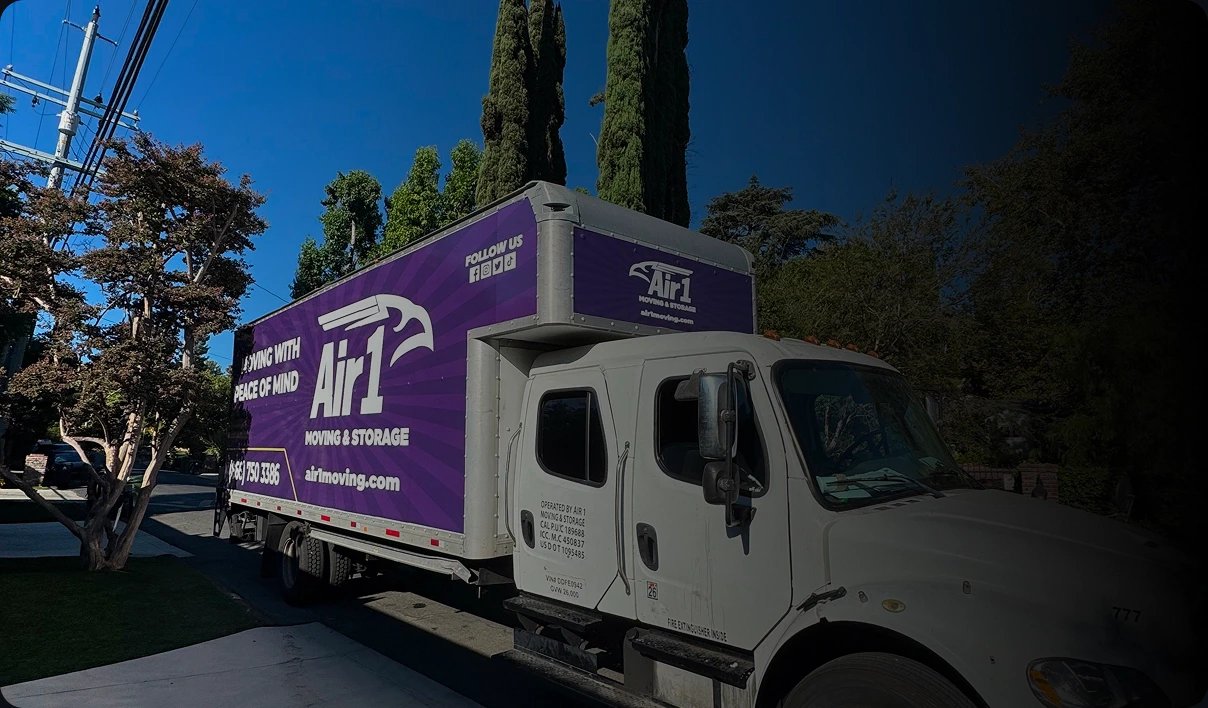
Built a conversion-focused moving quote landing page and drove high-intent leads through Google Ads + Google Business Profile.
Knowledge base
The same playbook we run for clients, written down for moving companies.

Define how forms, calls, campaigns and job outcomes should connect to your moving CRM. Use acceptance tests to verify identity, timing and reliable attribution.
Read the guide
Plan call tracking for moving campaigns with a number inventory, clear routing, source attribution and CRM reconciliation. Test the complete call path before launch.
Read the guide
Design a reliable CRM-to-ad-platform conversion pipeline with stable identifiers, real outcome timestamps, validation, retry handling and correction rules.
Read the guideFAQ
Still have one? Bring it to your free growth audit. We answer plainly, with your numbers in front of us.
Check Out Our Mega FAQNo. We are a marketing agency. We configure supported integrations and workflows around your existing CRM and sales process; we do not provide dispatch or move-management software.
No attribution system sees every interaction. We document gaps and use reliable first-party information to improve the decisions the data can support.
Yes. Your team approves messages, audience permissions, routing and escalation before activation. Applicable consent requirements are considered in the implementation.
No. Your main business number stays where customers already know it. Tracking numbers are added for specific sources, such as ads or your website, and forward to your existing lines, so calls still ring where they do today.
Recording rules vary by state, and some states require every party’s consent. We set recordings up with a notice at the start of each call, so callers know before the conversation begins, and your counsel approves the wording before anything is switched on.
Where your CRM allows, yes. We capture the click ID and contact details with each lead, then send booked moves back on a schedule through the import methods Google supports. If your CRM can’t do it automatically, we agree on a documented manual process instead.
It depends on the message. Replying to a customer’s own request is treated differently from a marketing text, which carries stricter consent requirements. We add clear consent language to your estimate forms, record when each customer agreed and make sure every opt-out is honored, with your counsel approving the wording.
It depends on how many sources, numbers and systems are involved and what your CRM supports. We agree on the definitions first, then connect and test each path before anyone relies on it, so launch follows testing rather than a calendar date.
You do. Call tracking accounts, CRM data, analytics properties and ad accounts belong to your business, and we work inside them with the access we need. If the work ever moves elsewhere, the setup and its documentation stay with you.

Start with a free growth audit. We’ll trace a few of your real inquiries from the first click or call to the job record, and show you where the source drops off and what we’d fix first.
A practical review. A clear next step. No obligation.