
A review-request workflow should make it easy for a customer to share an honest experience without pressure or repeated messages. The technical challenge is recognizing the right service milestone, choosing the correct customer record and preventing duplicate or inappropriate contact. Define those rules before connecting a CRM event to a send action.
 View full-size graphic ↗
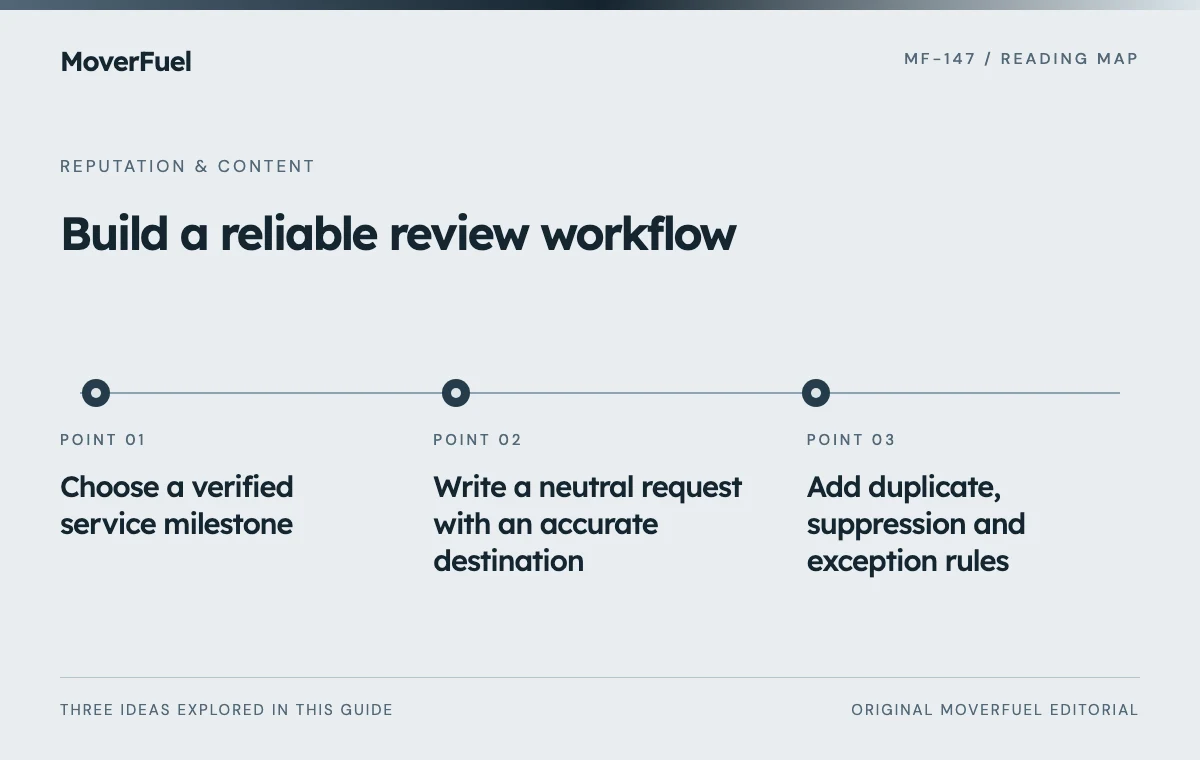
Choose a verified service milestone
Use a milestone that reflects the customer's actual experience of the service, such as a verified completed job under your operating process. A booked move that has not occurred is a poor substitute. Define how reschedules, cancellations, storage stages and multi-phase commercial projects affect eligibility.
Scroll the table horizontally to compare all columns.
| Field | Rule to define |
|---|---|
| Event | Verified service-completion milestone |
| Eligible recipient | Appropriate customer contact for that service |
| Job reference | Stable ID for duplicate prevention |
| Channel | Permitted contact method under reviewed requirements |
| Destination | Correct public review link for the relevant business |
| Owner | Person responsible for exceptions and replies |
Do not use customer sentiment as the eligibility gate. Google Maps policy prohibits selectively soliciting positive reviews. A neutral completion-based process should not route dissatisfied customers away from the same public-review opportunity. [1]
Service issues still need a separate owner. Investigating a complaint should not depend on whether the customer leaves a review, changes a rating or agrees to promotional content.
Write a neutral request with an accurate destination
An original message to adapt: ‘Thank you for choosing us for your move. If you would like to share your experience, you can leave an honest review using this link. Participation is optional, and your feedback helps us understand the service we provided.’ Use the business's actual identity and approved contact method.
Google's Business Profile guidance provides methods for sharing a review link or QR code. Verify that the destination opens the intended business and location before using it in a message or printed material. [2]
Avoid turning the request into instructions for praise
Do not ask for a particular star rating, prescribe positive wording or reward the review. Keep any customer referral promotion separate from public-review solicitation. Staff should understand that the goal is a genuine opportunity to respond, not a guaranteed positive result.
Add duplicate, suppression and exception rules
Scroll the table horizontally to compare all columns.
| Condition | Expected behavior |
|---|---|
| Repeated completion event | Do not create another request for the same eligible service |
| Duplicate customer records | Reconcile before sending overlapping messages |
| Wrong or missing location | Route for review instead of guessing the link |
| Delivery failure | Record failure and follow the approved retry policy |
| Contact restriction or stop request | Apply the relevant suppression |
| Cancelled job | Do not treat cancellation as completed-service eligibility |
| Multi-stage project | Use the defined milestone policy consistently |
Use a stable request key based on the job and intended workflow action. Keep the attempt, delivery and response states separate. A successful API request may mean a message was accepted by a provider, not that the customer received or read it.
Apply any contact rules based on the channel and jurisdiction after appropriate review. A completed service record does not automatically authorize unlimited messages. Keep reminders finite and avoid repeated prompting after a clear decision not to participate.
Test both normal and awkward cases
Use controlled records to test a completed local move, a cancelled booking, a duplicate event, a wrong branch, a failed send and a customer with a contact restriction. Confirm that the message, destination and audit trail match the specification.
Test a corrected completion record and an event arriving twice after a connection retry. The workflow should not interpret technical repetition as another customer experience. Check that a staff member can see and resolve failures without manually exporting a large customer list.
Verify the mobile review destination and the path back to customer support. The review request should not imply that posting publicly is the only way to raise a service question. Give support inquiries their own monitored route.
Audit coverage and quality without review quotas
Track eligible services, requests attempted, delivery failures, duplicates prevented and unresolved exceptions. Review whether the policy is applied consistently across branches and customer outcomes. Do not treat the number of five-star reviews per employee as the workflow's success condition.
Measure the practical effort and customer feedback about the request itself. If people report repeated messages or confusing links, repair the system. Avoid claiming a direct ranking or booking lift from a rise in reviews without an appropriate analysis.
The broader reputation management guide covers monitoring and service repair. Lead tracking and automation can support the event controls, while local SEO keeps the profile information accurate.
Common questions
Can I send only satisfied customers the review link?
No. Google prohibits selective positive solicitation. Keep eligibility neutral and separate service-recovery activity from the public-review opportunity.
What should happen when a completion event is sent twice?
A stable job/request identifier should prevent a duplicate request. Record the repeated event for diagnostics rather than sending another message to the customer.
Your next step
Build review requests as a neutral, auditable workflow. Reliable milestones, correct links and restrained contact controls help customers share genuine feedback without turning the process into pressure.
Sources & editorial notes
Platform claims cite the documents below. Operating frameworks and labeled examples are MoverFuel editorial analysis, not client results or industry benchmarks.
- Google Maps: prohibited and restricted contentGoogle Maps prohibits selective positive solicitation and manipulated review collection. Reviewed .
- Google: tips to get more reviewsGoogle Business Profile guidance describes sharing a review link or QR code for genuine customer reviews. Reviewed .