A mover that stores customers’ belongings between homes is not necessarily a self-storage facility. A company that packs household goods is not necessarily a packaging retailer. Category decisions should describe the business customers are hiring, with additional categories supported by real operations. Use the following decision process before adding labels for the sake of appearing in more searches.
 View full-size graphic ↗
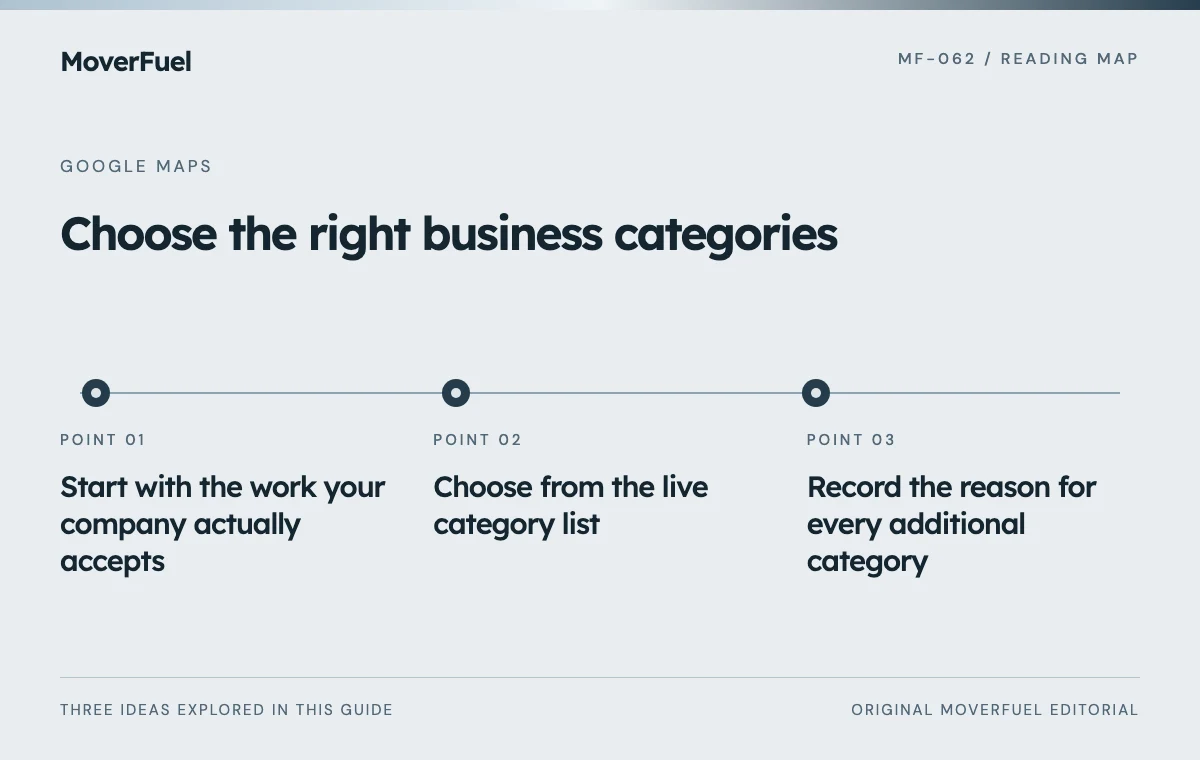
Start with the work your company actually accepts
Write down your core work, supplementary services and explicit exclusions. For each, record who performs it, where it is offered and how customers purchase it. Separate services provided by your own business from referrals to a partner. A referral agreement does not turn the partner’s business model into yours.
Scroll the table horizontally to compare all columns.
| Operating fact | Question to resolve | Evidence to keep |
|---|---|---|
| Household moving is the main offering | Which available category best describes that business? | Service page, estimates and actual job mix |
| Storage is offered with moves | Is storage a distinct service customers can purchase? | Storage terms and operating arrangement |
| Packing is an optional addition | Does this justify a category or simply a service entry? | Packing scope and exclusions |
| Junk removal is referred elsewhere | Would adding it misrepresent who provides the service? | Referral process and customer disclosures |
Review this inventory with operations, not just marketing. A salesperson may use broad language that a crew manager would qualify. Resolve those differences before they become public claims. Keep seasonal or temporarily unavailable services visible in the decision log so they are not accidentally promoted as dependable year-round offerings.
Choose from the live category list
Google asks businesses to select a specific primary category from the options provided. If the desired category is unavailable, choose an appropriate broader one. Custom categories cannot be created, and additional categories should be selective rather than an inventory of every product or service. [1]
Use a customer-language test
Complete the sentence: ‘A customer would hire us as a…’ Then compare that answer with the choices in the profile editor. For a company whose primary work is moving, begin with the relevant moving-business options shown in your account. Confirm exact wording there; an old list from a directory or agency spreadsheet may not match what is currently available.
Competitors can provide ideas to investigate, but their category choices are not evidence of eligibility for your company. Another operator may own a warehouse, sell packing materials to walk-in customers or run a separate service division that you do not have.
Record the reason for every additional category
Scroll the table horizontally to compare all columns.
| Field | What to record |
|---|---|
| Candidate | Exact category wording available in the editor |
| Business fit | The real service and operating facts supporting it |
| Customer expectation | What someone choosing this category will expect |
| Website alignment | The page that explains the offer accurately |
| Decision and owner | Keep, add, reject or investigate; named reviewer |
| Change record | Previous value, new value, date and reason |
Suppose a mover offers containerized storage only as part of a relocation. The right decision depends on the actual storage arrangement and the available category’s meaning, not on whether ‘storage’ is an attractive keyword. If the choice would imply public unit rental that the company does not offer, reject it or investigate a more accurate option.
Explain service details outside the category field
Categories cannot explain apartment access, packing options, commercial scheduling or long-distance qualification. Use clear service descriptions and relevant website pages for those distinctions. A category change will not repair a page that leaves customers unsure whether you accept their move.
Keep category decisions within a broader Google Business Profile audit. The profile, landing page and estimate conversation should describe the same company.
Check the inquiry path after any change. A caller asking for storage access, for example, should reach someone who can explain the actual offer. If the profile attracts requests for services you do not provide, record the mismatch and review the category and copy together rather than blaming the caller.
Review deliberately instead of cycling categories
Google notes that adding or editing categories may require verification again. Have an authorized account owner available and retain the rationale for a change; do not treat the profile as a place for frequent speculative experiments. [1]
Compare suitable inquiries before and after an edit, allowing for seasonality, promotions and changes in capacity. Track what customers wanted, whether the request fit and whether an estimate followed. A short-term movement in a ranking screenshot cannot establish that a category edit caused better business results.
Revisit the log when the business changes materially: a new storage operation, a discontinued service or an acquired branch may justify a fresh review. Otherwise, correct inaccuracies and focus ongoing effort on clear information and a dependable customer experience.
Common questions
Should every moving service have its own category?
No. Use a small set that accurately describes the business. Detailed options and exclusions belong in service information and on relevant website pages.
Can we copy the categories of the top local competitor?
Use them only as research prompts. Verify your own operations and the customer expectations associated with each category before adopting it.
Your next step
Choose the clearest primary identity, justify each additional category with operating facts and preserve a change log. A precise profile should help the right customers understand what they can hire you to do.
Sources & editorial notes
Platform claims cite the documents below. Operating frameworks and labeled examples are MoverFuel editorial analysis, not client results or industry benchmarks.
- Google: manage your business categoryCurrent primary/additional category selection rules, no custom categories and possible reverification after edits. The decision log is MoverFuel editorial guidance. Reviewed .