
A booked-job import connects an advertising interaction to a later business outcome. Its reliability depends on the record, not just the connector: what counts as a booking, when it occurred, which job it belongs to and what happens if the customer cancels. Design those rules first. Then implement them through a currently supported path and verify the results against the operational system.
 View full-size graphic ↗
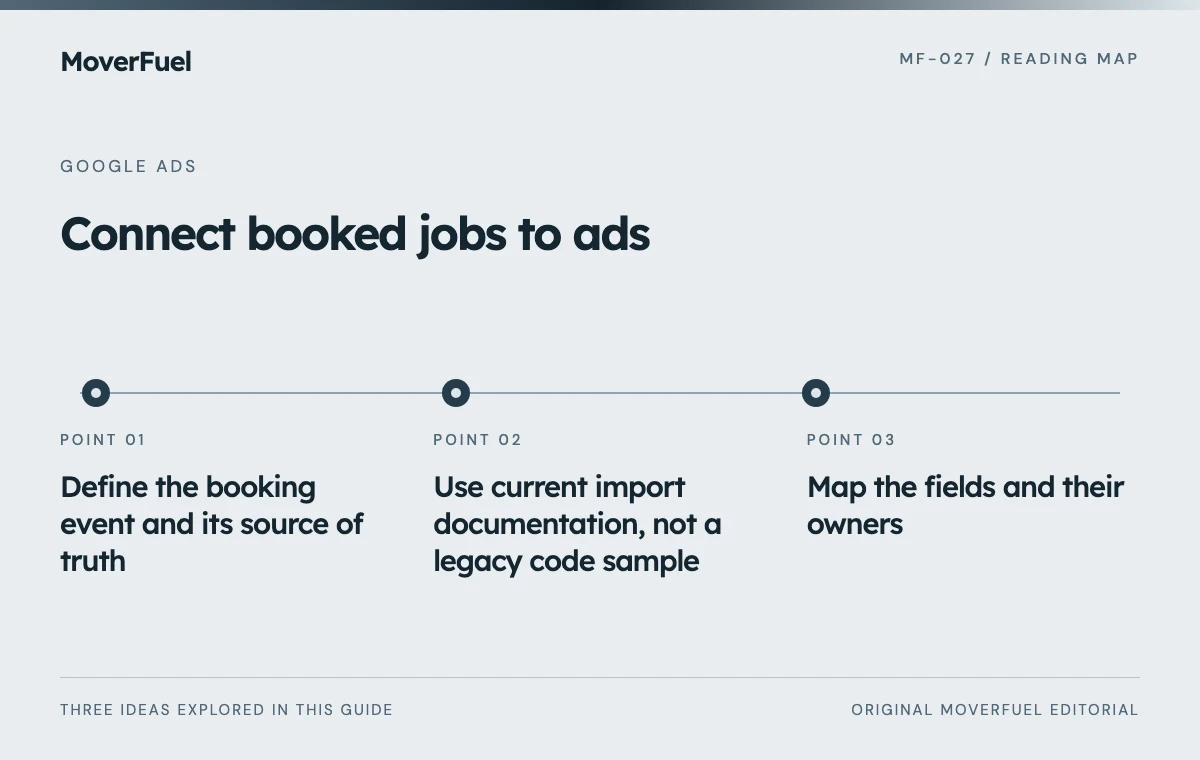
Define the booking event and its source of truth
Choose an observable booking rule that matches your process, such as a confirmed agreement plus the company’s required acceptance steps. Do not assume a quoted job, a tentative calendar hold and a booked move are interchangeable. Name the CRM or operations system that owns the final status.
Keep the booking timestamp separate from the move date and upload time. The booking event describes when the customer reached the defined stage. The service date describes fulfillment. The upload time describes data delivery. Replacing all three with “today” creates misleading reporting and correction problems.
If the business has not yet standardized earlier sales stages, start with qualified lead event design. Booking imports should build on clear event definitions rather than compensate for an inconsistent CRM.
Use current import documentation, not a legacy code sample
Google’s October 2026 guidance describes the migration of offline and enhanced-lead uploads to the Data Manager API beginning June 15, 2026, with legacy-access conditions. It also recommends enhanced conversions for leads for new adoption. Confirm the supported method for your account and vendor before implementation. [1]
A connector’s marketing page is not enough to establish compatibility. Ask which current upload mechanism it uses, which identifiers it supports, how it reports errors and whether it can send corrections. Read its implementation documentation and validate a controlled sample.
Map the fields and their owners
Scroll the table horizontally to compare all columns.
| Business field | Example | Validation rule |
|---|---|---|
| Stable job reference | DEMO-JOB-1042 | Unique for the intended job/event |
| Conversion action | Booked move | Matches the configured account action |
| Booking time | 2026-10-20 14:35, explicit time zone | Original business event time |
| Value and currency | 2400; USD | Documented value basis, not a formatted currency string |
| Matching identifiers | Supported identifiers when available | Collected and handled under the applicable method |
| Correction state | Original / revised / cancelled | Preserves a reviewable history |
Decide whether value means booked revenue, expected contribution or another documented measure. Keep that meaning consistent across jobs and campaigns. A deposit amount should not silently replace total booked value if the report is labeled revenue.
Make retries safe
Integrations retry after network failures. Preserve stable event identity and follow the selected method’s duplicate-handling rules so a retry does not represent a second booking. Keep a processing log that distinguishes attempted, accepted and rejected records without exposing unnecessary customer data.
Review data collection and sharing with the responsible privacy owner. The technical ability to upload an identifier does not settle every permission, notice or retention question. Document the approved data flow and access boundaries alongside the implementation.
Test acceptance and attribution as separate outcomes
Use an appropriate test process for the chosen integration and clearly identify any designated test records. Validate required fields, time zones, action ownership, identifiers and duplicate behavior. Do not contaminate production business reporting with invented bookings.
Google documents both upload failures and discrepancies after successful uploads. An accepted record is not necessarily an attributed conversion. Review account ownership, conversion windows, matching and diagnostics before treating a difference as a software defect. [2]
Scroll the table horizontally to compare all columns.
| Check | Evidence to retain |
|---|---|
| Record selection | Only events satisfying the booking rule are selected |
| Field mapping | Sample values match the CRM and documented definitions |
| Processing | Per-record result or diagnostic status |
| Duplicate retry | No second business event counted |
| Reporting | Compatible date basis and expected processing delay |
| Failure handling | Named owner and recoverable queue or log |
Start with a small sample that covers ordinary bookings and edge cases. A connector that succeeds for one straightforward record may still mishandle missing identifiers, amended values or time-zone boundaries.
Plan cancellations and value amendments before launch
Google distinguishes restating a conversion value from retracting a conversion. Retraction removes the conversion; a retracted conversion or one restated to zero cannot simply be adjusted again. Supported identifiers and timing requirements depend on the conversion path, so verify those details before automating corrections. [3]
Define the business conditions for correction. A customer moving the service date is not necessarily a cancelled sale. A reduced scope may change value without eliminating the booking. A genuine cancellation should not remain indefinitely in a report intended to represent active booked work.
Preserve the original event and a correction history in your system. Do not rewrite timestamps to make a failed record look new unless a documented recovery procedure specifically requires a new event and the business consequences are understood. Correction logic deserves the same testing as initial uploads.
Reconcile each layer on a compatible date basis
Compare eligible CRM bookings, events selected for upload, processing results and attributed outcomes. Use consistent currency and event definitions. Investigate missing records at the layer where they disappear instead of assuming the advertising dashboard should equal all company revenue.
Avoid comparing upload-date totals with acquisition-date or conversion-date reporting as though they describe the same period. Google’s discrepancy guidance specifically warns against using upload date as a reporting comparison. Document which date basis each reconciliation view uses. [2]
Monitor the integration after changes to CRM fields, account ownership or vendor configuration. Record the last successful processing time and unresolved failures. A booking import is operational infrastructure: it needs an owner, a recovery path and a regular reconciliation, not only an initial success message.
Common questions
Can I upload the move completion date as the booking time?
Only if your chosen event is actually completion. A booking event should use the time the booking rule was satisfied. Keep service dates, booking dates and upload times separate.
Does a successful upload prove the booking is attributed to an ad?
No. Acceptance and attribution are different stages. Check the official diagnostics, matching and reporting conditions before interpreting discrepancies.
Your next step
Reliable imports preserve job identity, event meaning and correction history. Verify the supported connection, test edge cases and reconcile the system continuously before relying on it for bidding decisions.
Sources & editorial notes
Platform claims cite the documents below. Operating frameworks and labeled examples are MoverFuel editorial analysis, not client results or industry benchmarks.
- Google: offline conversion importsCurrent offline/enhanced lead upload guidance and dated API migration notice. Reviewed .
- Google: offline import errorsUpload versus attribution diagnostics and reporting-date comparisons. Reviewed .
- Google: conversion adjustmentsRestatement, retraction and correction limitations. No universal adjustment deadline is asserted. Reviewed .