Follow-up automation should prevent a request from being forgotten, not keep sending messages after the customer's situation has changed. The useful design starts with a trigger, an owner, an appropriate action and a reliable stop condition. Test those rules before turning a sales sequence into software.
 View full-size graphic ↗
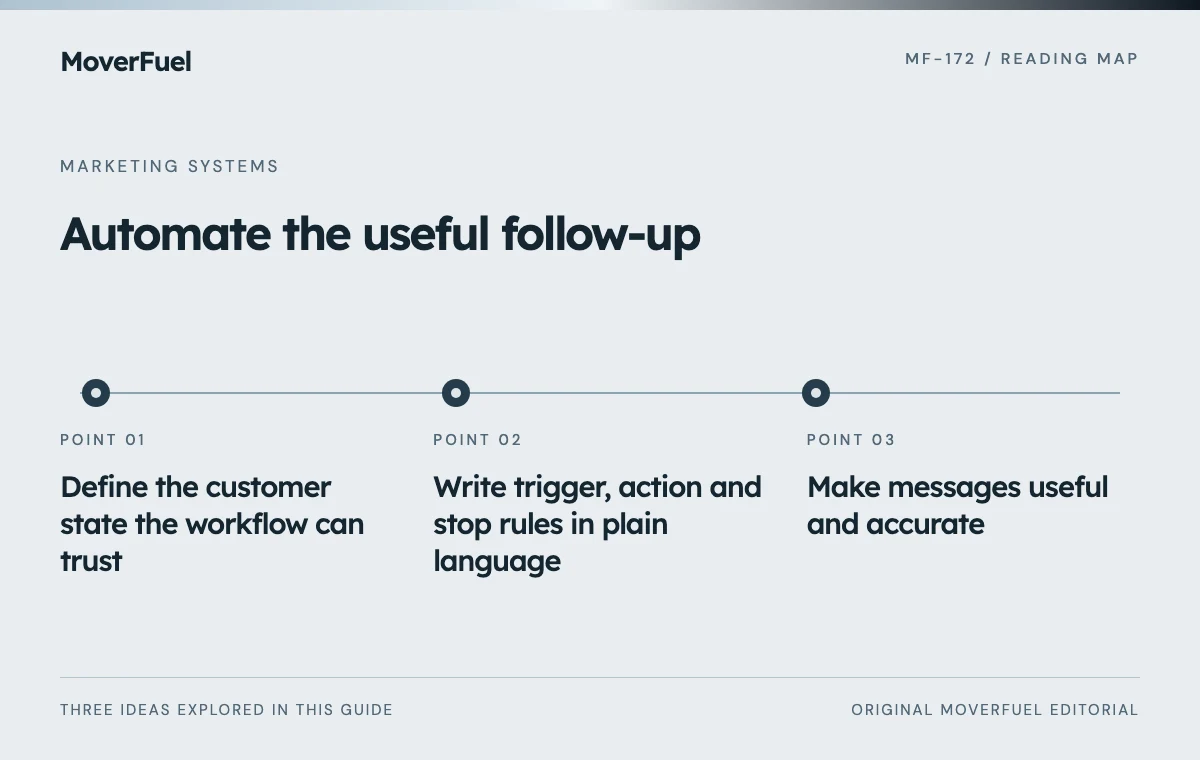
Define the customer state the workflow can trust
Separate a new inquiry from an active assessment, an estimate awaiting a decision and a booked job. The workflow needs a reliable record of the current state and the event that changed it. A message sent is not evidence that a customer advanced.
CRM terminology varies. HubSpot distinguishes lifecycle stages from Lead Status, illustrating why a workflow should use verified field meanings rather than an attractive label in a dropdown. [1]
Scroll the table horizontally to compare all columns.
| Field | Purpose | Failure if missing |
|---|---|---|
| Opportunity identity | Connect actions to the same request | Duplicate sequences |
| Current state and timestamp | Choose appropriate action | Stale messages |
| Assigned owner | Provide human accountability | Unanswered exceptions |
| Contact permissions and preferences | Respect allowed channels and choices | Inappropriate contact |
| Stop reason | Prevent further automated action | Messages after booking or refusal |
Agree on who updates the state and what happens when the data is uncertain. An automation should pause or create a review task when it cannot determine whether a message is appropriate.
Write trigger, action and stop rules in plain language
Scroll the table horizontally to compare all columns.
| Trigger | Possible action | Stop or exception |
|---|---|---|
| Valid new inquiry received | Assign owner and acknowledge the request | Duplicate, invalid or unsupported request |
| Assessment needs scheduling | Create a staff task or agreed reminder | Customer schedules or declines |
| Estimate delivered | Follow the agreed review point | Booked, lost, opt-out or material change |
| Delivery fails | Alert owner for review | Do not resend indefinitely |
| Move date passes | Review record and close stale workflow | No ongoing generic sales sequence |
The timing must fit the actual sales process and customer expectations. There is no universal cadence that makes every moving lead convert. Use the customer's stated timing and the team's ability to respond.
Keep a clear human handoff
Give replies, complaints and unusual requests an accountable owner. Automation should not force customers to repeat their situation through several channels or hide the fact that a person needs to assess the request.
The CRM integration requirements help ensure state changes reach the workflow reliably.
Make messages useful and accurate
Use each message to confirm a next step, answer a known question or explain what the team needs. Avoid unsupported urgency, fake personal familiarity or claims that someone reviewed the move when no review occurred.
Distinguish operational acknowledgments from promotional messages. FTC CAN-SPAM guidance covers commercial email, including business-to-business email, and addresses sender information and opt-out obligations. The classification depends on the message's purpose; this is not authorization for automated calls or texts. [2]
Review requirements for each channel and jurisdiction before activation. A record in the CRM does not automatically establish permission for every contact method. Keep preferences and suppression rules synchronized with the systems that send messages.
Test failures as carefully as the happy path
Scroll the table horizontally to compare all columns.
| Scenario | Expected result | What to inspect |
|---|---|---|
| Same inquiry delivered twice | One active workflow | Opportunity and delivery IDs |
| Customer books during a delay | Pending sales follow-up stops | State checked before send |
| Customer opts out | Applicable messages are suppressed | Suppression propagation |
| Owner is unavailable | Defined reassignment or alert | Task ownership |
| Integration is delayed | No stale promise or uncontrolled resend | Error and recovery logs |
Use approved test records and a safe delivery destination. Do not send synthetic messages to real customers or import fake bookings into live ad optimization. Save the observed result so future changes can be checked against the same expectations.
Consider the race between a scheduled action and a state update. Checking eligibility only when the workflow starts may be insufficient. Recheck the relevant stop conditions immediately before an outbound action.
Limit permissions and retain useful evidence
FTC data-security guidance supports collecting and retaining only needed information and controlling access. Give the automation the minimum data and permissions necessary for its defined task, with a clear retention and deletion process. [3]
Log the rule version, triggering event, action and result without exposing unnecessary personal information. The team should be able to explain why a message was sent or suppressed. Avoid placing private customer details in widely accessible notification channels.
Assign someone to monitor failed deliveries and stale tasks. A workflow that runs without visible errors can still fail its purpose if no one follows up on the exceptions it creates.
Evaluate customer progress rather than message volume
Measure whether appropriate requests reach assessment and whether unresolved questions get answered. Track unwanted-message complaints, duplicate contact and staff workload as well as booking outcomes. More automated sends are not evidence of better follow-up.
Review the workflow after changes to forms, CRM stages, service areas or sales responsibilities. Keep a version history and an easy pause mechanism so the team can stop incorrect behavior quickly.
Use marketing automation support to implement a tested process with accountable people, not an unattended message loop.
Common questions
Should automated follow-up stop when a customer books?
The sales sequence should stop or transition to the appropriate operational process. Recheck current status before each scheduled action so delayed data does not trigger stale messages.
Can one workflow handle email, calls and texts under the same permission?
Do not assume so. Review the requirements and customer preferences for each channel. Commercial-email guidance does not authorize every other contact method.
Your next step
Automate a defined process with reliable state, clear ownership and tested stop rules. The goal is appropriate progress for the customer, not the largest possible number of messages.
Sources & editorial notes
Platform claims cite the documents below. Operating frameworks and labeled examples are MoverFuel editorial analysis, not client results or industry benchmarks.
- HubSpot: contact and company lifecycle stagesCRM lifecycle and lead-status concepts can differ and require explicit workflow mapping. Reviewed .
- FTC: CAN-SPAM compliance guideFTC CAN-SPAM guidance addresses commercial email obligations; it is not a permission framework for calls or texts. Reviewed .
- FTC: protecting personal informationFTC guidance supports data minimization, access controls and responsible retention. Reviewed .