The practical platform question is not which technology sounds newer. It is who will update the moving website, what the site needs to do and who will keep it dependable after launch. WordPress and Next.js can both support useful websites, but they organize editing and development differently. Compare the complete implementation and handoff, not the framework name alone.
 View full-size graphic ↗
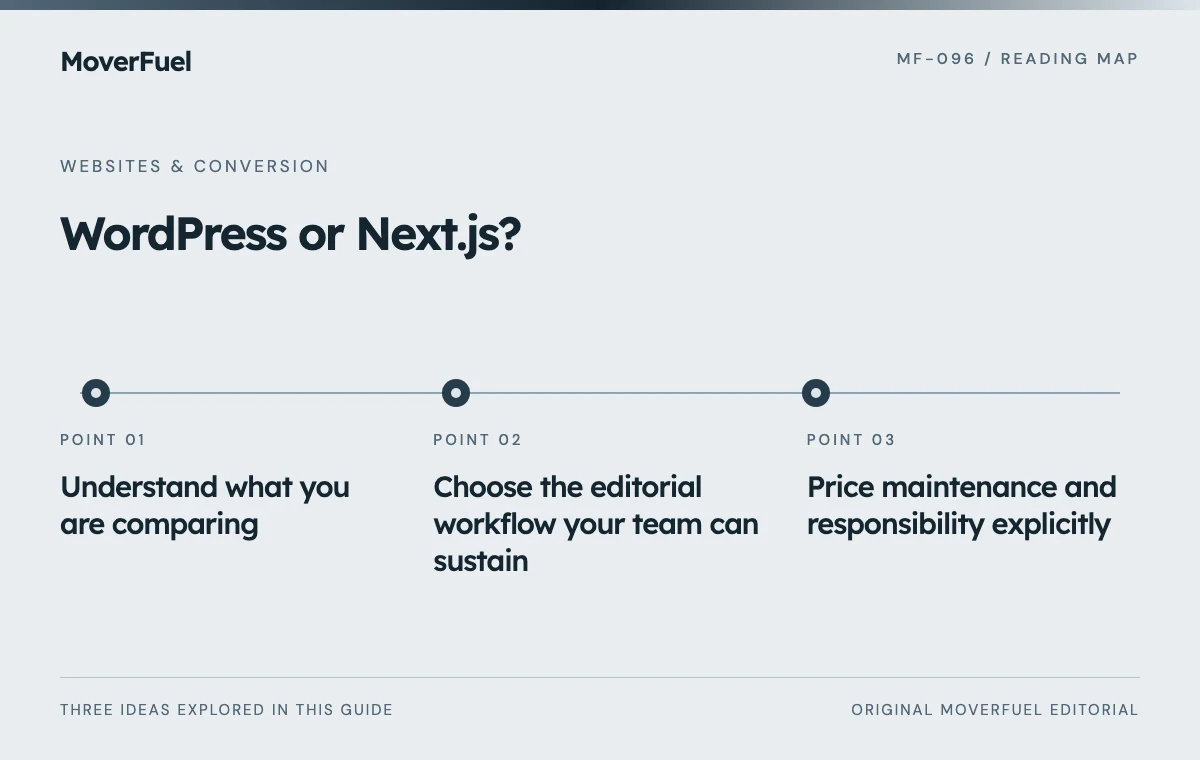
Understand what you are comparing
WordPress provides a content-management environment. Its block editor organizes page and post content into blocks, although the editing experience of a particular site depends on its theme, plugins and customization. [1]
Next.js is an application framework rather than a ready-made editorial interface. A moving website built with it may use a separate content-management system, structured files or a custom editing layer. Ask to see the actual workflow that your staff will receive.
Scroll the table horizontally to compare all columns.
| Need | WordPress proposal | Next.js proposal |
|---|---|---|
| Edit a service page | Which editor and locked templates? | Which CMS or development workflow? |
| Publish an article | Which fields and preview steps? | Which publishing and build steps? |
| Handle quote requests | Which form and delivery integration? | Which backend or external service? |
| Maintain the site | Who owns core, theme and plugin updates? | Who owns framework, package and hosting updates? |
| Leave the provider | What content and configuration export? | What source, CMS and deployment access? |
A beautiful demonstration is not enough. Have the provider walk through a real change such as updating storage availability, replacing a review or publishing a branch announcement. Note where developer assistance is required.
Choose the editorial workflow your team can sustain
A team making frequent service, location and resource updates needs reliable previews, clear permissions and reusable layouts. A highly constrained template can protect design consistency, but it must still let staff change the information the business actually owns.
Separate content ownership from visual editing
Ask how article text, metadata, images, redirects and structured fields can be exported. Drag-and-drop freedom is less useful if the content becomes difficult to move later. Conversely, a clean data model is not sufficient if every small copy change requires an unavailable developer.
Document who can publish, who reviews factual claims and how changes are reversed. The same operational questions apply to both platforms. A review workflow should protect accurate service coverage and business information without making routine updates impractical.
Price maintenance and responsibility explicitly
WordPress's official hardening guidance emphasizes practices including updates, trusted software, access controls and backups. Buying a site does not remove the need to maintain its components and recovery process. [2]
A Next.js implementation also needs dependency updates, secure configuration, monitoring and someone who understands its deployment. ‘Custom code’ is not a security guarantee, and ‘managed hosting’ does not explain every responsibility. Ask which tasks are included in the agreement and which are billed separately.
Scroll the table horizontally to compare all columns.
| Cost category | What to request |
|---|---|
| Initial build | Scope, migration, testing and content responsibilities |
| Recurring services | Hosting, CMS, plugins, forms and monitoring |
| Maintenance | Update schedule, support window and recovery checks |
| Routine changes | Included editing versus developer work |
| Exit or rebuild | Export, access transfer and migration assistance |
Compare costs over a realistic ownership period using quoted amounts, not generic internet price ranges. Include internal staff time and the cost of waiting for changes. A low initial fee can hide an expensive maintenance or migration arrangement.
Match hosting and integrations to the actual features
Next.js documents deployment through a Node.js server, Docker, static export and platform adapters. Static export has limited feature support, while adapters depend on the destination. A proposal must match its hosting approach to the features the site actually uses. [3]
For either stack, trace quote submission from the browser to durable acceptance, assignment and failure feedback. Confirm where spam controls, notifications and CRM credentials live. Do not accept a decorative success screen as proof that the integration works.
Test backups and recovery, including content and uploaded media. Confirm account ownership for the domain, hosting, analytics and any CMS. Administrative access should not depend entirely on one provider's personal account.
Use a practical acceptance test before choosing
Ask both proposals to demonstrate the same tasks: publish a page, correct metadata, restore a previous version, deliver a quote request, preserve an existing URL and render a long article on mobile. Compare the results against your team's skills and support arrangement.
Include the website-speed diagnostic checklist in acceptance testing. Neither platform name guarantees good performance, accessibility or search visibility.
Choose the implementation with clear responsibilities, appropriate editing and reliable conversion paths. If the current stack already meets those needs, improving its weak points may be more sensible than migrating for fashion. A platform change should solve a documented limitation and include a URL-preservation plan.
For comparison, see how we build moving company websites, and put our proposal through the same test.
Common questions
Does Next.js automatically rank better than WordPress?
No. Evaluate crawlable content, metadata, performance, usefulness and implementation quality. A framework name is not a ranking guarantee.
Can a WordPress site use restricted layouts?
Yes, depending on its implementation. Ask the provider to demonstrate exactly what editors can change and what remains protected.
Your next step
Select a website system around editing, ownership and dependable operations. Compare a complete supported implementation rather than treating either technology as a universal winner.
Sources & editorial notes
Platform claims cite the documents below. Operating frameworks and labeled examples are MoverFuel editorial analysis, not client results or industry benchmarks.
- WordPress: block editorWordPress block-editor model; implementation-specific editing limits are acknowledged. Reviewed .
- WordPress: hardeningOfficial WordPress maintenance and hardening practices. Reviewed .
- Next.js: deployment optionsCurrent Next.js deployment options and static-export limitations. Commercial comparison is original analysis. Reviewed .