
Installing GA4 does not automatically produce a reliable moving-lead report. The implementation must distinguish browsing, attempted contact and a request that the business actually received. Write a measurement specification before adding tags so the developer, marketer and intake team agree on what each event means.
 View full-size graphic ↗
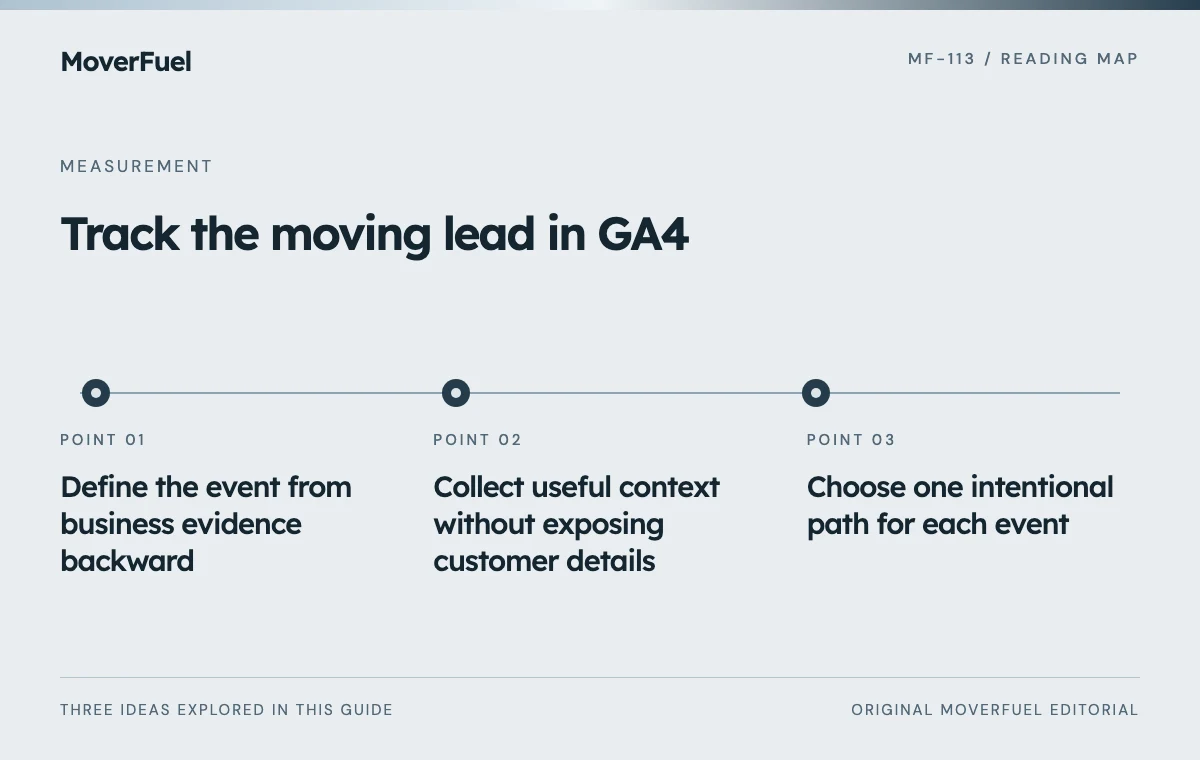
Define the event from business evidence backward
Start with the decision the report should support. If the question is whether a quote form produces inquiries, the meaningful trigger is the application's confirmed successful submission state, backed by a real delivery process. A click on the submit button can occur even when validation or delivery fails.
Scroll the table horizontally to compare all columns.
| Action | Trigger | Reporting role |
|---|---|---|
| Quote form viewed | Form becomes available to the visitor | Journey diagnostic |
| Quote form started | Defined first meaningful interaction | Friction diagnostic |
| Inquiry accepted | Application confirms successful receipt | Lead-generation event |
| Phone link tapped | Telephone link activated | Contact-intent diagnostic |
| Qualified opportunity | Approved CRM stage transition | Downstream outcome through a supported path |
Google recommends generate_lead for submitted information and separate events for qualification, contact and converted outcomes. Recommended events require implementation; choosing a name does not verify the business event or automatically connect the CRM. [1]
Document event owner, trigger location, permitted parameters and test evidence. Custom diagnostic names should be consistent and meaningful. Avoid creating several differently named events for the same accepted inquiry.
Collect useful context without exposing customer details
Use a small set of approved context fields such as form identifier, service category or page type. The purpose is to compare conversion paths, not to copy the entire quote form into analytics.
Google's Analytics policy prohibits sending recognizable personally identifiable information. Its guidance specifically highlights risks in URLs, page titles and user-entered fields. Inspect those paths as well as explicit event parameters. [2]
Scroll the table horizontally to compare all columns.
| Potential field | Recommended handling |
|---|---|
| Form identifier | Use a stable non-personal label |
| Service category | Use a controlled category value |
| Name, email or phone | Keep out of ordinary Analytics event parameters |
| Free-text move description | Do not transmit the raw field |
| Thank-you URL | Ensure it contains no personal form data |
| Internal record identifier | Review policy and privacy implications before use |
Apply the site's consent and data-handling requirements to the actual implementation. Missing measurement because a visitor declined tracking is not a reason to bypass their choice. Keep the operational inquiry record in the appropriate business system.
Choose one intentional path for each event
Inventory tags in application code, the tag manager, form plugins and third-party widgets. A single submission can be reported several times if each layer independently sends the same event. A new integration should not be added until the existing event paths are understood.
Test retries and revisits explicitly
Refresh the confirmation page, use the back button, double-click submit and retry after a network failure in a controlled test. Decide which actions represent a new inquiry and which are repeats. The browser event count and the CRM's unique-opportunity count may still differ, but the reason should be explainable.
Keep test submissions identifiable and excluded from commercial reporting. Do not test against a live external lead destination without the site's authorized test arrangement.
Connect downstream outcomes through a defined integration
The sales system owns qualification and booking evidence. Decide whether and how those transitions should be represented in analytics or advertising, using a supported integration with appropriate identifiers, timestamps and permissions. Do not simulate a qualified lead by firing a browser event when a visitor merely reaches a long page.
Use the offline conversion data-contract guide when business outcomes must move from the CRM into an advertising destination.
Keep the systems' definitions visible. GA4 key events, Google Ads conversion actions and CRM statuses serve different purposes. Connecting accounts does not make all three reports count identical units or use identical attribution.
If the integration is unavailable, report browser inquiries and CRM outcomes separately with an honest reconciliation process. A documented gap is preferable to a dashboard that implies a connection that does not exist.
Verify the specification in the actual website
Google recommends checking implemented events in DebugView and Realtime. Use those tools alongside the application's submission records, then check processed reports after their normal reporting delay. [1]
Scroll the table horizontally to compare all columns.
| Scenario | Expected result |
|---|---|
| Invalid required field | No accepted-inquiry event |
| Successful controlled submission | One intended event and one received record |
| Server failure | Visible error and no false success |
| Confirmation refresh | No unintended additional inquiry |
| Phone tap | Diagnostic tap event, not assumed conversation |
| Tracking choice declined | Behavior follows the approved consent design |
Save the event specification and test results with the site. Recheck them after form, tag-manager or CRM changes. A tracking system remains reliable through maintained definitions and repeatable tests, not merely because the tag appeared once in a browser debugger.
Common questions
Does GA4 automatically know which moving leads are qualified?
No. Qualification needs a real business definition and an implemented path from the system that records that outcome.
Should a phone click be the same event as a received quote request?
Keep them distinct. A tap expresses contact intent, while a received request establishes a different stage; neither alone proves a qualified conversation.
Your next step
Define triggers, safe context and acceptance tests before deploying events. GA4 becomes useful when its measurements match the actual inquiry journey and its limits are documented.
Sources & editorial notes
Platform claims cite the documents below. Operating frameworks and labeled examples are MoverFuel editorial analysis, not client results or industry benchmarks.
- Google Analytics: recommended eventsRecommended lead events and DebugView/Realtime verification; implementation and business validation remain necessary. Reviewed .
- Google Analytics: avoid personally identifiable informationAnalytics PII restrictions and URL, title and form-input risks. Event specification is original. Reviewed .